Hex to Binary
Hex to binary preserves one integer value in both directions, without interpreting the digits as text bytes.
Original hex and binary integer round trip
We prepared four hex integer inputs covering zero, a mixed-digit value, a negative value and a long value. Each was converted to binary using this page’s BigInt function, then converted back to hex. We compared the recovered result with the normalized original; every input matched. This is an integer representation test, not a text or file decoding test.
| Hex input | Binary output | Recovered hex | Comparison |
|---|---|---|---|
| 0 | 0 | 0 | Matched |
| ABC | 101010111100 | ABC | Matched |
| -2A | -101010 | -2A | Matched |
| 10000000000000001 | 10000000000000000000000000000000000000000000000000000000000000001 | 10000000000000001 | Matched |

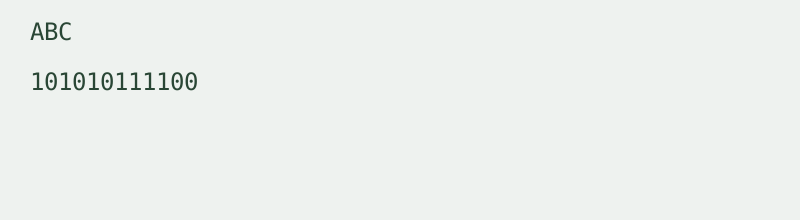
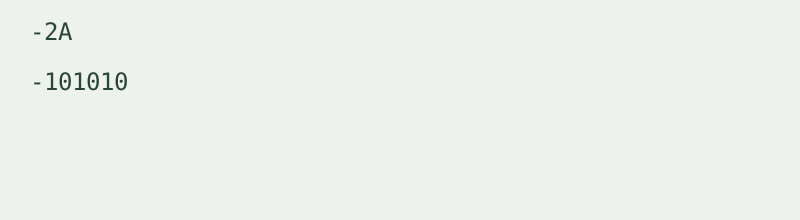
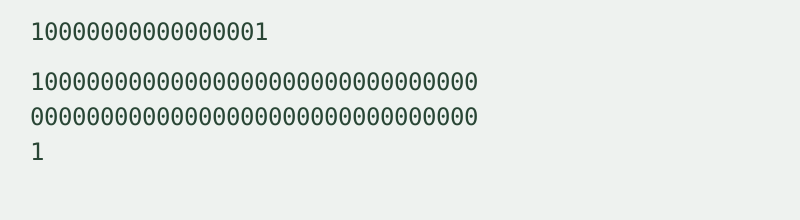
ABC produced 101010111100 and returned to ABC. The negative input -2A produced -101010 and returned to -2A. The long input retained both nonzero ends in its recovered hex result. These strings are measurements from the local conversion run, not estimated values.
To reproduce a row, choose Hex to binary, paste its input and convert. Use Swap direction and result, then compare the returned hex with the original. Leading zero digits are normalized away because this tool represents the integer value, not a fixed-width sequence.
Accepted integer syntax
Hex input accepts digits 0–9 and A–F in either case, an optional 0x prefix and an optional leading sign. Binary input accepts 0 and 1, an optional 0b prefix and an optional leading sign. Surrounding whitespace is removed. Internal spaces, commas, fractions and exponent notation are rejected. Errors clear the previous result rather than producing partial output.
Binary to hex and signed values
Binary to hex is the reverse direction on this same page. The result uses uppercase hex without a prefix. A minus sign means a negative integer in signed magnitude notation. The tool does not infer two’s complement, add a sign bit or impose a word size. A positive binary input stays positive even if its first bit is one.
Scope and limits
Conversion uses native BigInt for exact integer arithmetic, locally in the browser. Input is limited to 10,000 characters per run. One integer is processed at a time. There is no login, file upload, batch mode or conversion history, and the input is not transmitted to a conversion service.
The three integer base conversions
This page connects hexadecimal and binary directly. Use the Hex to decimal and decimal to hex converter when decimal is the other base. Use the Binary to decimal and decimal to binary converter for binary and decimal. These pages each handle one distinct pair of integer representations.
For UTF-8 text, use the Hex byte to text decoder or Binary text translator. This integer tool does not perform those character conversions.
Related encoding walkthrough
This existing video demonstrates hexadecimal byte input and Base64 output. It covers a related representation, not hex and binary integer conversion.
Loading the player connects to YouTube and shares connection information such as your IP address and playback requests.