Binary to Decimal
Binary to decimal converts one integer exactly in both directions, without treating the bits as text bytes.
Original binary integer round trip
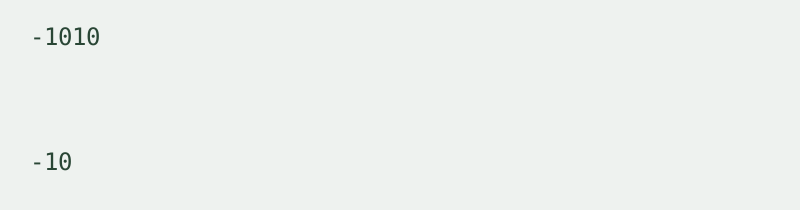
We prepared four binary integer inputs: zero, a negative value, a long value with two set bits, and a full run of set bits. We converted each to decimal using this page’s BigInt function, converted the result back to binary and compared it with the normalized original. All recovered inputs matched. These rows record the integer conversion run, not a character encoding table.
| Binary input | Decimal result | Recovered binary | Exact comparison |
|---|---|---|---|
| 0 | 0 | 0 | Matched |
| -1010 | -10 | -1010 | Matched |
| 100000000000000000000000000000000000000000000000000001 | 9007199254740993 | 100000000000000000000000000000000000000000000000000001 | Matched |
| 1111111111111111111111111111111111111111111111111111111111111111 | 18446744073709551615 | 1111111111111111111111111111111111111111111111111111111111111111 | Matched |

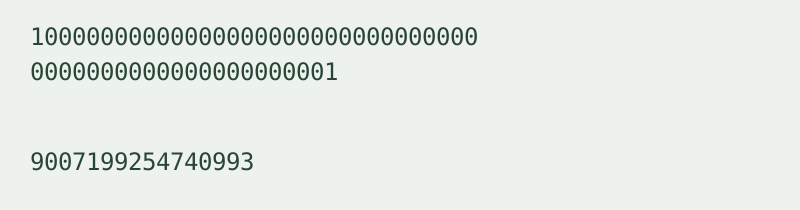
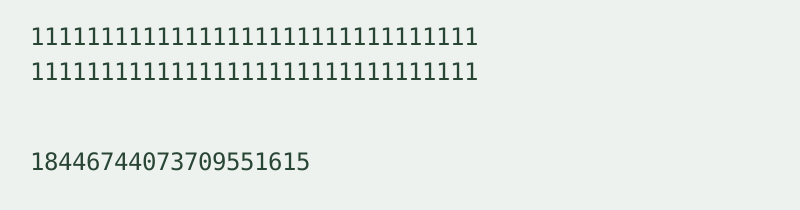
The long two-set-bit sample produced 9007199254740993. The final sample produced 18446744073709551615. Both decimal outputs converted back to their original binary inputs. The decimal values and recovered strings are measured outputs from the local function run; no floating-point Number is used in the conversion.
To reproduce a row, choose Binary to decimal, paste its input, convert, then use Swap direction and result. Compare the recovered bit string with the table. Leading zeros normalize away because this page represents an integer value, not a fixed-width byte sequence.
Input rules
Binary input accepts only 0 and 1, with an optional leading sign and optional 0b prefix. Decimal input accepts digits 0–9 with an optional leading sign. Surrounding whitespace is removed. Internal spaces, separators, fractions and exponent notation are rejected; the previous result is cleared on an error. Binary input does not need a multiple-of-eight length because the whole sequence represents one integer.
Signed values
A leading minus sign represents a negative integer. This tool does not infer two’s-complement values from the top bit and does not impose a fixed bit width. Positive values stay positive regardless of their first bit. Zero, leading zeros and negative zero normalize to zero.
Decimal to binary
The reverse direction is available on this same page. Decimal to binary preserves the integer value and outputs a bit string with an optional minus sign. It does not create UTF-8 text, binary files or a separate conversion page.
Scope and limits
Exact integer arithmetic uses native BigInt locally in your browser. Input is limited to 10,000 characters per run. One integer is processed at a time; there is no batch mode, file upload, login or conversion history. Input is not transmitted to an external conversion service.
How is this different from Binary Translator?
The Binary text translator converts complete UTF-8 bytes to and from text. Here every bit belongs to one integer, not a series of character bytes. For hexadecimal integer input, use the Hex to decimal integer converter.
Related encoding walkthrough
This existing video demonstrates hexadecimal byte input and Base64 output. It covers a related representation, not binary integer conversion.
Loading the player connects to YouTube and shares connection information such as your IP address and playback requests.
For direct hex and binary integer conversion, use the Hex to binary and binary to hex converter.