URL Decoder
URL decoder restores UTF-8 percent-encoded values, and URL encoder creates them; invalid percent escapes and incomplete UTF-8 sequences are rejected with their one-based source position and offending fragment.
Ready. UTF-8 only; one value and one conversion pass.
No conversion yet.
Malformed percent escapes: measured source positions
We supplied seven invalid inputs to this tool and recorded each reported position and fragment. A percent escape must contain exactly two hexadecimal digits after the percent sign. The first invalid escape is rejected before any decoded result is returned. The positions below were read from actual runs, not estimated.
| Actual input | Reported one-based position | Offending fragment |
|---|---|---|
ok%ZZ | 3 | %ZZ |
ok% | 3 | % |
ok%A | 3 | %A |
🚀%ZZ | 3 | %ZZ |
%2 | 1 | %2 |
%G1 | 1 | %G1 |
%E4%B8 | 1 | %E4%B8 |
Position counts UTF-16 code units from one. For ok%ZZ, the percent sign is at position 3. For the rocket prefix, the rocket occupies two UTF-16 units, so its following percent sign is also at position 3. Python independently counted those prefixes as UTF-16 units and matched every reported position. This is a source-string position, not a percent-decoded byte offset or a count of visible glyphs.
Incomplete escapes and non-hexadecimal digits report the first offending percent sign and the available fragment. A percent sign can be literal data only after it has been encoded as %25. Percent sequences with valid spelling but invalid UTF-8 bytes are rejected with a distinct UTF-8 error, the source position of the first invalid sequence and its original fragment. For %E4%B8, the measured position is 1 and the fragment is %E4%B8: both percent escapes are complete, but the three-byte UTF-8 sequence is missing its final byte. Positions identify the start of the invalid sequence in the original input, not a decoded-byte offset.
Four original strings, two contexts
We authored these four texts, encoded each in component and form-value contexts, then decoded each output back to the exact source. Python urllib.parse independently calculated and restored the same outputs. [LF] marks one real line feed in the source sample; it was not literal marker text in the calculation.
| Original source | Component output | Form-value output | UTF-8 bytes | Output units: component / form |
|---|---|---|---|---|
tea + cake | tea%20%2B%20cake | tea+%2B+cake | 10 | 16 / 12 |
path/part?x=1&y=2 | path%2Fpart%3Fx%3D1%26y%3D2 | path%2Fpart%3Fx%3D1%26y%3D2 | 17 | 27 / 27 |
Café 🚀 | Caf%C3%A9%20%F0%9F%9A%80 | Caf%C3%A9+%F0%9F%9A%80 | 10 | 24 / 22 |
a%20b[LF]*~ | a%2520b%0A%2A~ | a%2520b%0A*%7E | 8 | 14 / 14 |
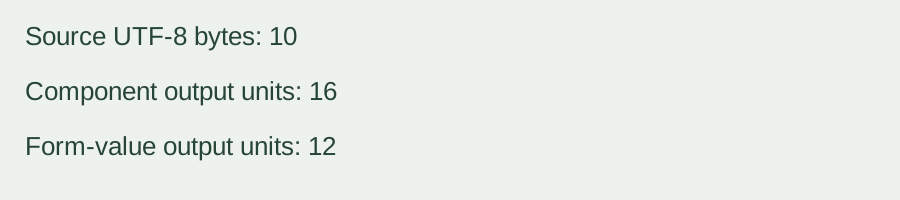
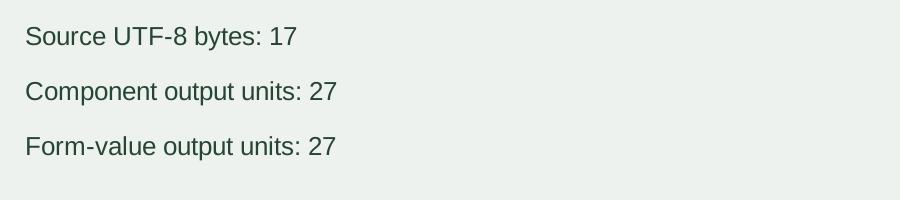
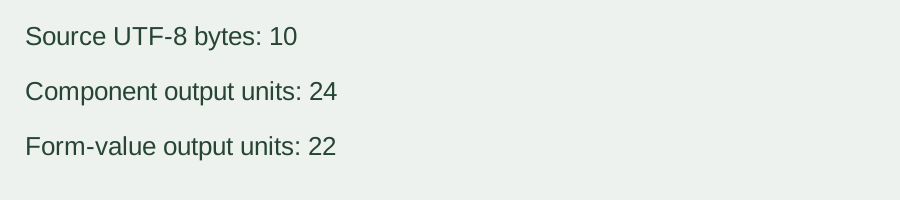
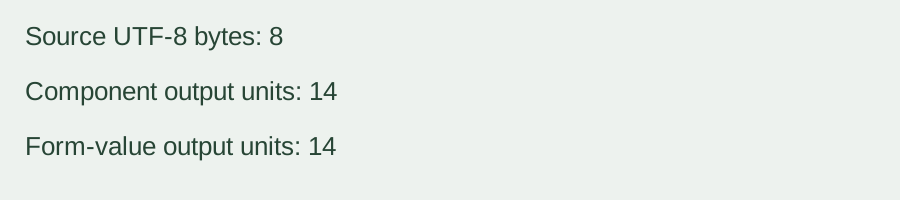
Every forward-and-return check matched the source characters, including the plus sign, percent-looking text, accented character, emoji and line feed. The output lengths were read from the actual generated strings. They are not file-size estimates or accuracy percentages.
The first sample shows why context matters: a raw plus sign stays a plus in component decoding, but means a space in form-value decoding. An encoded %2B becomes a literal plus in both modes. A single decoding pass changes %2520 to the literal characters %20, not directly to a space. The fourth sample also exposes the difference for asterisk and tilde between the two encoding rules.
To repeat a row, enter the stated source text, select Encode text and the stated context, then compare the generated result. Paste that result into Decode to text in the same context. For an error row, paste its actual invalid input and compare the reported position and fragment. Text boxes follow browser line-ending behavior; the copy button uses the generated string itself so parsed carriage returns are not copied from a normalized display.
Supported input, output and limits
One text value per run, UTF-8 only. Encoding accepts up to 10,000 UTF-16 input units. Decoding accepts up to 90,000 encoded input units and returns at most 10,000 decoded units. Output is percent-encoded text or decoded text with one-click copy. Empty text is accepted. No file upload, batch mode, daily quota, login, registration or saved conversion history. Processing stays in your browser.
Component encoding leaves only ASCII letters, digits, hyphen, period, underscore and tilde unescaped. Form-value encoding uses plus for spaces, encodes literal plus as %2B, leaves asterisk unescaped and encodes tilde. Unpaired Unicode surrogates are rejected. No extra trimming or repeated decoding is performed, and a failed conversion clears any previous output.
A value is different from a complete URL
This tool treats the input as one component or one form field value. It does not parse a full URL into its parts, construct a query string from multiple fields, validate a destination or visit a decoded address. Encoding an entire URL in component mode will encode its separators too. Decode reserved characters only in the appropriate component; treating decoded data as new URL structure can change its meaning.
Is URL encoder a separate tool?
Both directions are on this page. Select Encode text to use its URL encoder direction, or Decode to text to restore a value. Choose the matching context before converting; form-value decoding is not the same as component decoding.
Other representations stay separate
JSON Escape handles quoted JSON string syntax. Unicode Converter handles code points and UTF-8 byte representations. Base64url Decode handles a different URL-compatible alphabet, not percent encoding. This page does not process HTML entities, JSON escapes or Base64url input.
Related representation walkthrough
This existing video discusses character-art representations, not percent encoding. Loading the player connects to YouTube and shares connection information such as your IP address and playback requests.
To convert HTML character references and retain separately copyable decoding stages, use HTML Entity Encoder and Decoder.
For domain-label conversion and encoded ASCII byte budgets, use Punycode Converter.