HTML Entity Encoder
HTML entity encoder escapes text; HTML entity decoder keeps your source and first decoded result, then adds a separately copyable second result only when you request another pass.
Ready. Results appear only after you convert. No automatic recursive decoding.
Measured: one pass, an optional second pass, and a stopping point
We supplied these four strings to this page's conversion code, recorded the first result, then explicitly ran that result through one more decode. Python's separate HTML entity decoder produced the same first and second results for every row. The unit counts were read from those actual strings; they are not estimates. The table retains each stage instead of replacing the first result with the second.
| Original source | After one decode | After two decodes | UTF-16 units: source / first / second |
|---|---|---|---|
&lt; | < | < | 8 / 4 / 1 |
&amp; | & | & | 9 / 5 / 1 |
&#x41; | A | A | 10 / 6 / 1 |
< | < | < | 4 / 1 / 1 |
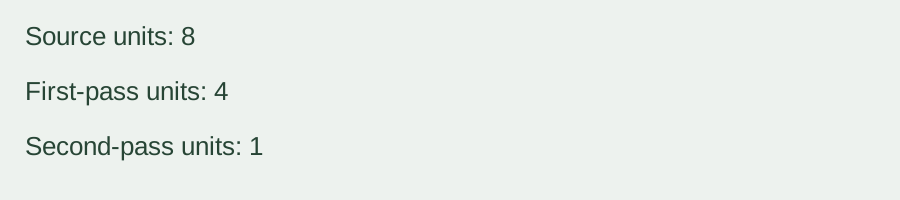
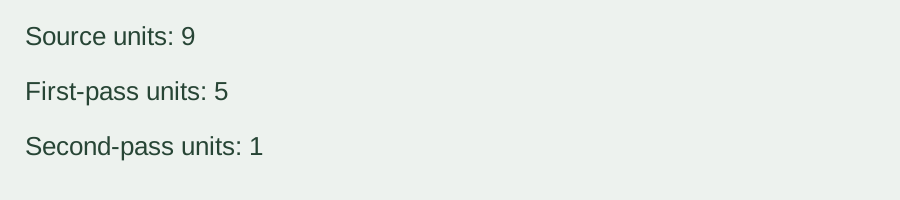
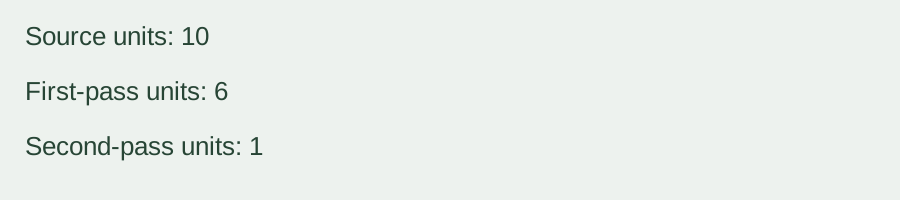
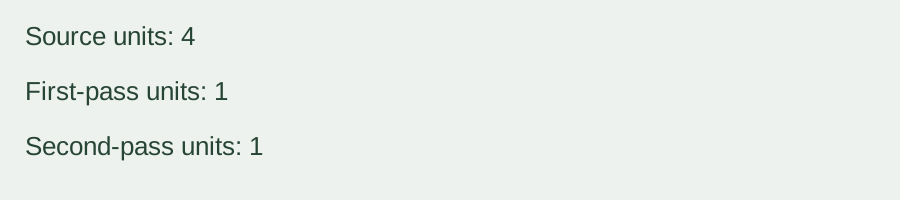
The first row reaches the literal entity spelling < after one pass. It reaches the less-than character only after another requested pass. The second row retains & at the first stage before reaching an ampersand. The numeric row first exposes A, then reaches A. A newly exposed reference is not decoded again within the same pass: replacement text is not rescanned.
The last row is the stopping-point control. Its first result is already the less-than character; applying the decoder again leaves it unchanged. This does not tell the tool how many layers you intended. A literal entity spelling may be the text you need, so the interface does not assume that the final-looking result is the correct one.
To reproduce a row, paste its source and select Decode entities to text. Convert once and compare the first result while the second box remains hidden. Click Decode one more layer to reveal the second result beside the retained source and first result. Copy any of the three stages separately. Editing the input or settings clears the old results, so a result from an earlier input is not silently reused.
We also encoded and decoded text containing an ampersand, tag-shaped text, an accent and an emoji in each output style. The sample strings returned to the same characters. These checks concern the stated characters and conversion rules, not an accuracy percentage or preservation of every possible entity spelling. Named, decimal and hexadecimal spellings can decode to the same character, so decoding does not preserve which spelling was originally used.
Input, output and limits
Paste one text value. Encoding accepts up to 10,000 UTF-16 units; decoding accepts up to 100,000 units. Output is text with a copy button for each visible stage. Empty text is accepted. Named references use HTML5 mappings; numeric references accept decimal or hexadecimal notation. Encoding escapes ampersand, less-than, greater-than, double quote and apostrophe by default. Encode every character also converts other characters. Named output uses a numeric reference when no single-character name is available.
There is no file upload, batch conversion, daily quota, login, registration or saved conversion history. All conversion runs in your browser. The two decoding passes are separate operations; no loop decodes until the string stops changing.
Decoding rules and boundaries
This page uses HTML text-context reference rules, not an attribute-value mode or XML rules. It accepts supported legacy names without a semicolon where HTML text rules permit them. Unknown names remain literal. Numeric zero, surrogate values and values above U+10FFFF become U+FFFD; the HTML numeric-reference overrides for the Windows-1252 range are applied. These are HTML parsing rules, not strict validation. Encoding rejects unpaired Unicode surrogates. This page does not provide error-source positions.
Results are shown as text, not executed markup. Entity encoding is not a universal sanitizer for scripts, styles, URLs or arbitrary HTML. This tool does not remove tags, validate a document or promise that decoded content is suitable for injection into a page. The second pass can change literal reference text; choose it only when you intend another decoding layer.
Is HTML entity decoder a separate page?
No. Both directions are here: choose Decode entities to text or Encode text to entities. Encoding style and Encode every character affect encoding only. The optional second stage is available only for decoding.
How is this different from other escaping tools?
JSON Escape handles a complete quoted JSON string. URL Decoder and Encoder handles UTF-8 percent encoding. Unicode Converter handles code points and UTF-8 representations. This page resolves HTML character references and does not reinterpret those other syntaxes.
Related representation walkthrough
This existing video discusses character-art representations, not HTML entities. Loading the player connects to YouTube and shares connection information such as your IP address and playback requests.
For domain-label conversion and encoded ASCII byte budgets, use Punycode Converter.