PNG to Base64
To convert PNG to Base64 while keeping the original file, encode its bytes with compression and resizing off. Use plain Base64 when asked for the payload, or data:image/png;base64, followed by that payload for a PNG data URI. Open the local converter.
Repeat our transparent PNG experiment
We created a transparent tile for this page: a green rounded rectangle with a translucent circle. The original file is 443 bytes and has dimensions of 96 by 64 pixels. Its first eight bytes are 89 50 4E 47 0D 0A 1A 0A. These are measurements of this downloadable sample, not a claim about every PNG.

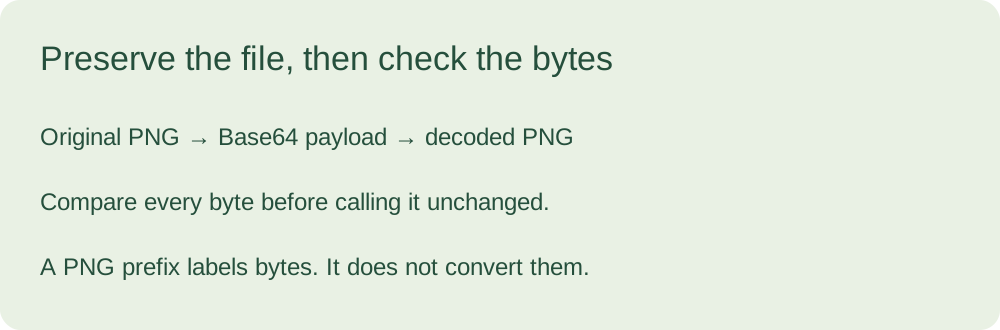
The test below starts with the sample's encoded payload, decodes it into bytes, and compares each position against the original byte array bundled with this page. It also loads a PNG data URI as an image. The two results answer different questions: the comparison checks file preservation, while the image event checks rendering in your browser.
Not run on this device.
Waiting for image test.
Download decoded PNGDownload original PNG. You can compare the two downloaded files independently. The original sample's SHA-256 is:
3cb5209788937f1a2515b15275247082570459d5213977f6f078664b897005a1
A different digest would mean the file bytes differ. Matching pixels alone would not establish that its metadata, compression choices or ancillary chunks were retained. Our test is intentionally byte-based rather than a visual similarity score.
Try your PNG in the main converter
Open the image to Base64 converter and select a local PNG. Keep compression disabled when your goal is the original file. Choose Plain Base64 for a destination that requests encoded characters alone, or Data URI for a destination that needs an image URL. A complete PNG data URI begins with data:image/png;base64,.
The page's optional image export changes what is being encoded. If you resize or export another format, compare the recovered bytes with that exported file, not with the original PNG. A successful round trip after export is useful, but it is a different result from preserving the input file.
Our specimen's two outputs
These boxes come from the same custom PNG. The first is its complete payload. The second adds a PNG wrapper without changing that payload. You can paste the complete URI into our decoder and download the recovered file.
iVBORw0KGgoAAAANSUhEUgAAAGAAAABACAYAAADlNHIOAAABgklEQVR4nO2cwU3EMBBFvStaoQs64EANPkM5cJ4aOGwHdJFi2OsKiaydtT1/NO9doyTSfzOOldgpBQAAAAAAsnEacZHnt5ffkpTt++ehDB86OXPwo0QcOongx4k4l04If2w+XQIIf3xOzQIIv4/WvLqHIBhLkwCq/xgtuT2VgNjXx+W/Y/X987UE4hSl+m0ndHUZe1NTeQF2IHg1EXsCpB/CNiD8kdeZgWQH2MTAPLohVAfY5GpV6wY5AdmQEmCLqlOpC2QE2OJQVCTICMiKhABzqkaFLpAQkBkEZBdgzsOA9/3dBWQHAc4gwBkEOIMAZxCQXUB1/lrlfX93AdlBgDMSAqrTMOA9/MgIyIyMgLq4GhWqX0rAylBUwpcTkBE5AXVydSpVv+zCrBnv6j2DD7Uwa0ZoalUfpgNuSbs6WklCxP0B93ZNhhQQiXsCzit2g2dla8hN+iGcgWYBdEEfrXl1dQASxufUPQQhYWw+/C0l4t9S/pJ5mroxQwQAAACAEo4r1a6cWZnr9q4AAAAASUVORK5CYII=
data:image/png;base64,iVBORw0KGgoAAAANSUhEUgAAAGAAAABACAYAAADlNHIOAAABgklEQVR4nO2cwU3EMBBFvStaoQs64EANPkM5cJ4aOGwHdJFi2OsKiaydtT1/NO9doyTSfzOOldgpBQAAAAAAsnEacZHnt5ffkpTt++ehDB86OXPwo0QcOongx4k4l04If2w+XQIIf3xOzQIIv4/WvLqHIBhLkwCq/xgtuT2VgNjXx+W/Y/X987UE4hSl+m0ndHUZe1NTeQF2IHg1EXsCpB/CNiD8kdeZgWQH2MTAPLohVAfY5GpV6wY5AdmQEmCLqlOpC2QE2OJQVCTICMiKhABzqkaFLpAQkBkEZBdgzsOA9/3dBWQHAc4gwBkEOIMAZxCQXUB1/lrlfX93AdlBgDMSAqrTMOA9/MgIyIyMgLq4GhWqX0rAylBUwpcTkBE5AXVydSpVv+zCrBnv6j2DD7Uwa0ZoalUfpgNuSbs6WklCxP0B93ZNhhQQiXsCzit2g2dla8hN+iGcgWYBdEEfrXl1dQASxufUPQQhYWw+/C0l4t9S/pJ5mroxQwQAAACAEo4r1a6cWZnr9q4AAAAASUVORK5CYII=
The browser example makes no network request for conversion, accepts no visitor file, and does not upload the sample. The file download is built from decoded bytes locally. This test covers one deliberately simple specimen; it does not certify unknown PNG files, other applications or every possible encoding workflow.
Can changing the prefix turn JPEG into PNG?
No. The prefix describes the bytes; it does not change the file format. Export an actual PNG before labelling it as PNG. Otherwise a destination may receive an incorrectly labelled image.
Why can't I correctly encode an image to a Base64 string?
Start with file bytes, not a file path or its name. After decoding, compare with the bytes you intended to encode. Keep the wrapper separate from the payload and verify the actual image format. Our specimen gives you a known input to isolate that distinction; it cannot diagnose an unseen application.
Sources and scope
The encoding question was selected from the user-supplied discussion title “Can't correctly encode an image to base64 string”. Its comments were not supplied or read. The PNG sample, diagrams and local comparison were made for this page.