SVG to Base64
Encode the SVG file bytes, not a JavaScript string treated as single-byte characters. For SVG source text, first obtain UTF-8 bytes, then Base64-encode those bytes. Use data:image/svg+xml;base64, only when a complete image data URI is needed. Open the local converter.
Repeat our UTF-8 SVG experiment
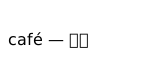
Our downloadable SVG is a deliberately small text image containing an accented word, an em dash and Chinese characters. These characters belong to the image specimen, not to the article instructions. We wrote the file as UTF-8, encoded its complete byte sequence, and decoded it again. The local decoded bytes match the original. The specimen is 112 bytes; this measurement applies only to our file.
Download the original SVG. The comparison below uses its exact byte array and encoded payload. It compares every decoded byte, then decodes the bytes as UTF-8 text. It does not insert SVG markup into the document or execute the specimen.
Not run on this device.
Decoded text will appear here.
Our exact payload
PHN2ZyB4bWxucz0iaHR0cDovL3d3dy53My5vcmcvMjAwMC9zdmciIHdpZHRoPSIxNjAiIGhlaWdodD0iODAiPjx0ZXh0IHg9IjgiIHk9IjQ1Ij5jYWbDqSDigJQg5Zu+54mHPC90ZXh0Pjwvc3ZnPg==
For a complete SVG data URI, prepend data:image/svg+xml;base64, to that payload. The prefix labels the bytes; it does not replace UTF-8 encoding and does not turn another image format into SVG.
Compare the original file independently
The original file's SHA-256 is:
5c8dbbf19d18ca3d2cac41bb77c81b71d3e6b6b8d6c6040ace11d8de106fe4a8
Decode the complete payload into bytes and compare the downloaded original file with the recovered file. A matching visual appearance is a separate check: XML whitespace or metadata may differ while the picture still looks the same. Our experiment checks the entire file rather than claiming a visual score.
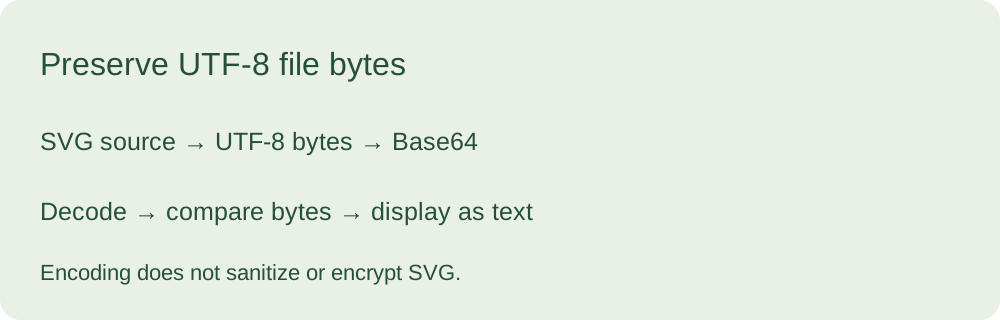
The example is intentionally inert: no script, external image reference or font request is included in our sample. Do not use this specimen to certify a different SVG. Encoding alone does not remove active content or make a file trustworthy.
Try your own file locally
Use the image to Base64 tool with image compression and resizing off when the original SVG bytes are the goal. Exporting through an image canvas is a different operation and may rasterize a vector image. Keep the original file and compare recovered bytes before calling the result unchanged.
Why can non-ASCII SVG text fail to encode?
A direct call to btoa on arbitrary source text can reject characters outside its single-byte input range. TextEncoder provides UTF-8 bytes; those bytes can be encoded and restored as bytes. When starting with an uploaded file, preserve its actual bytes instead of rebuilding its contents from text.
Is a Base64 SVG safe?
Base64 is an encoding, not encryption or sanitization. Treat an unfamiliar SVG as untrusted content. This page's test displays recovered source as text rather than executing it. It does not inspect or clean visitor SVG files.
Sources and scope
The topic and safety question came from the user-supplied roster. Comments were not supplied or read and are not quoted. The file specimen, byte comparison and diagram were made for this page. The test covers this one file, not all SVG applications.