Base64 image online
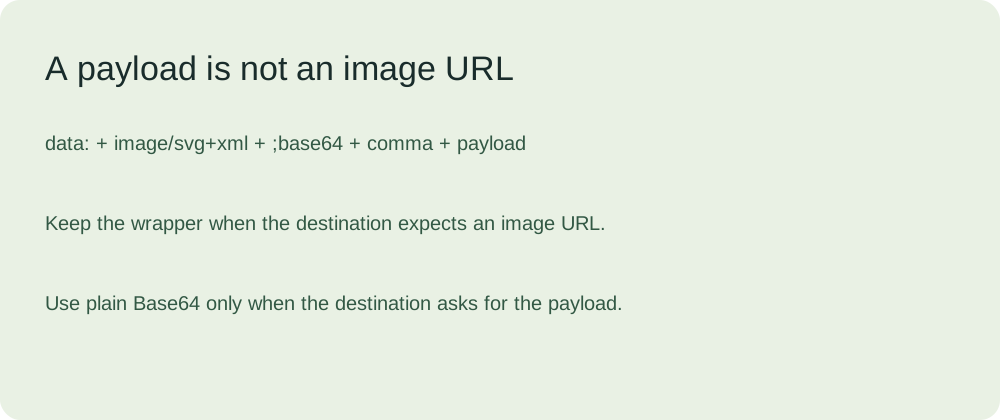
To view a Base64 image online, use a complete data URI, not just the encoded characters. Keep the image type and the comma before the payload. To recover a file, use the decoder. To encode a file, use the image to Base64 converter.
One original image, two representations
We drew this green tile specifically for this page. The sample is an SVG containing a rectangle and a circle. Its source is downloadable, so you can repeat the comparison without using your own private file or relying on a third-party image host.

The first box contains only the encoded file bytes. It does not include the image type or a URL scheme. Giving an image element only those characters makes it a relative URL, rather than an embedded image. Our display test therefore uses a complete wrapper.
PHN2ZyB4bWxucz0iaHR0cDovL3d3dy53My5vcmcvMjAwMC9zdmciIHdpZHRoPSIxMjAiIGhlaWdodD0iODAiPjxyZWN0IHdpZHRoPSIxMjAiIGhlaWdodD0iODAiIHJ4PSIxMiIgZmlsbD0iIzI1NGYzYyIvPjxjaXJjbGUgY3g9IjYwIiBjeT0iNDAiIHI9IjIyIiBmaWxsPSIjYzRlNGE4Ii8+PC9zdmc+
The next box contains the same payload after the SVG data URI prefix. The comma separates the description from the encoded bytes. Adding a wrapper does not convert the underlying SVG into a PNG or JPEG. The image type needs to describe the actual file.
data:image/svg+xml;base64,PHN2ZyB4bWxucz0iaHR0cDovL3d3dy53My5vcmcvMjAwMC9zdmciIHdpZHRoPSIxMjAiIGhlaWdodD0iODAiPjxyZWN0IHdpZHRoPSIxMjAiIGhlaWdodD0iODAiIHJ4PSIxMiIgZmlsbD0iIzI1NGYzYyIvPjxjaXJjbGUgY3g9IjYwIiBjeT0iNDAiIHI9IjIyIiBmaWxsPSIjYzRlNGE4Ii8+PC9zdmc+
Run the comparison on your device
Press the button to load our complete data URI into an image element. The demonstration also decodes the payload and compares every recovered byte with the original sample. A second image uses a deliberately broken wrapper with the separator comma removed. The displayed results come from your browser, not from a claimed universal compatibility guarantee.
Not run on this device.
Complete data URI
Waiting for test.
Missing comma
Waiting for test.
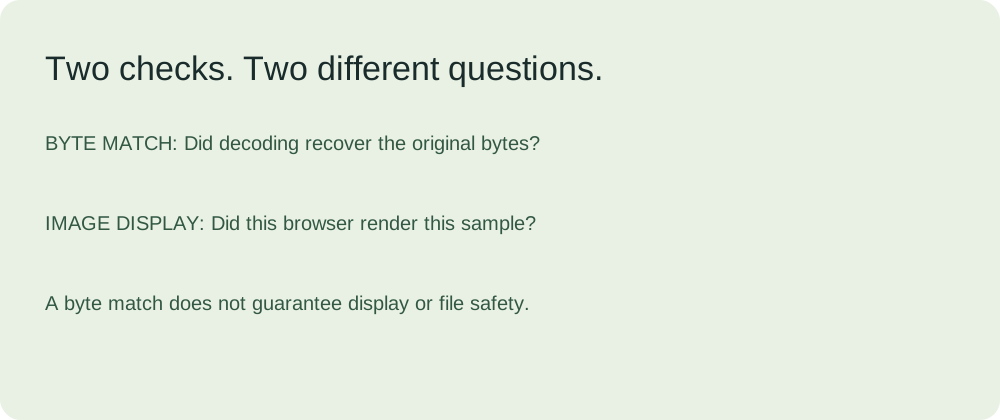
Byte integrity and image display are separate checks. A recovered byte match answers whether the payload came back unchanged. It does not establish that the wrapper is valid, that another program accepts it, or that an unknown file is harmless. Conversely, seeing the circle proves that this browser displayed this sample; it does not prove every original byte was preserved.
Repeat the example through the converter
Download our original SVG. Open the home-page converter and leave compression off. Select Data URI when the destination needs a complete image URL. Select Plain Base64 when a destination explicitly requests the payload alone. Copying the HTML option produces a surrounding image tag as well.
The converter's byte check compares decoded output with the bytes used for encoding. With compression off, those are the original file bytes. With compression on, the check covers the exported image bytes instead. This distinction matters because a successful check of an exported file is not evidence that the original metadata or animation survived.
The sample has no external image reference, font dependency or script. Keeping the sample this small makes the broken-wrapper test easier to interpret: both cases share the exact payload, and only the comma changes. The comparison does not reproduce every cause of a missing image on someone else's website.
Is base64 image string safe?
Base64 is reversible encoding, not encryption. Someone with the complete string can recover the image. Do not paste private image data into an unfamiliar service because it looks unreadable. A byte match does not inspect the contents for harmful behavior. Conversion on this site runs locally without sending the input to an API.
What if the image still does not display?
Check the wrapper, the image type and whether the destination supports that image format. A website's content security policy can restrict data images. Our demonstration checks the sample on this page, not every website or email application.
Sources and scope
Question selection used a user-supplied discussion list: “My image is not displaying on website been trying for 2hours” and “Is base64 image string safe”. Their comment bodies were not supplied or read; we do not attribute answers or trends to those threads.
Technical references: MDN data URL syntax and MDN Base64. The sample, comparison and diagrams are original materials for this page.