Caesar Cipher Decoder — ROT13 (Shift 13)
Caesar cipher decoder reverses a letter shift; ROT13 is shift 13 on this same tool. It is not secure encryption or a confidentiality tool: anyone with the text can reverse it.
Ready. A–Z and a–z only; other characters stay unchanged.
Original shift and round-trip checks
We created four inputs to test a backward shift, ROT13, mixed case with non-English characters, and a zero shift. We ran each through this page’s function, then applied the forward shift to the output and compared the recovered input. Every recovered input matched. These rows are recorded local calculations, not a copied cipher table.
| Input | Decode shift | Output | Re-encoded input |
|---|---|---|---|
| Khoor, Zruog! 123 | 3 | Hello, World! 123 | Khoor, Zruog! 123 |
| Uryyb, Jbeyq! 123 | 13 | Hello, World! 123 | Uryyb, Jbeyq! 123 |
| Abc XYZ 09 é 🚀 | 13 | Nop KLM 09 é 🚀 | Abc XYZ 09 é 🚀 |
| Az 123! | 0 | Az 123! | Az 123! |
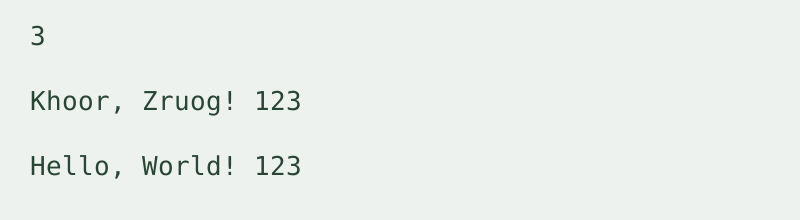
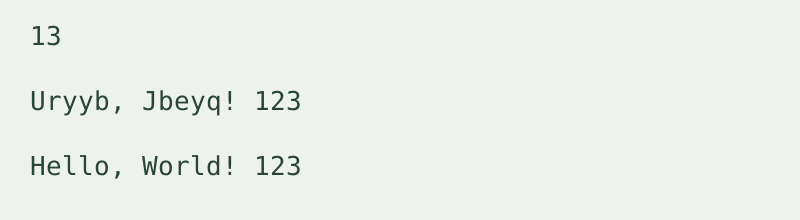
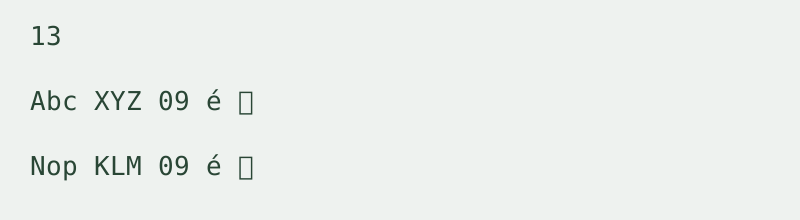
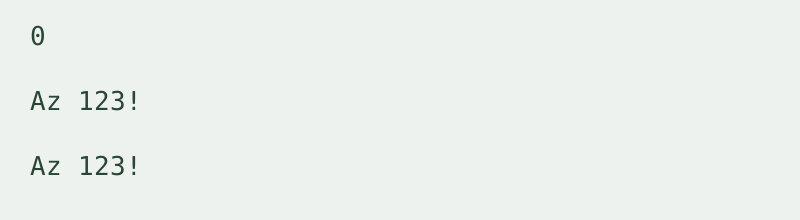
The shift-three and shift-thirteen samples both recovered Hello, World! 123. The mixed sample preserved its digits, spaces, accented character and emoji while shifting only ASCII letters. The zero-shift sample stayed unchanged. To reproduce a row, paste its input, choose Decode and the stated shift, then compare the output. Change to Encode and apply the same shift to that output to recover the original.
Alphabet, case and symbols
This tool supports the English alphabet A–Z and a–z. Uppercase letters remain uppercase and lowercase letters remain lowercase; each alphabet wraps at its own end. Digits, spaces, punctuation, line breaks, accented letters, emoji and all other characters remain unchanged. No custom alphabet or automatic language translation is provided.
What is ROT13 or shift 13?
ROT13 applies a shift of 13 positions to the same English alphabet. Applying it twice restores the original text. Encode and Decode therefore produce the same result at shift 13. This option belongs to this tool, not a separate page.
What if I do not know the shift?
Select a shift from 0 through 25 and inspect one result at a time. This page does not claim to identify the original shift automatically. A readable output is not proof of the author or authenticity.
Does a Caesar shift protect private information?
No. It is a reversible letter substitution for exercises and puzzles, not a way to keep secrets. Anyone who obtains the shifted text can try the possible shifts. Do not use it to protect passwords or confidential messages.
Input, output and limits
Paste one text sequence and copy the resulting text. Processing runs locally, with a limit of 20,000 characters per input. There is no file upload, batch mode, login or saved history. No daily conversion counter is imposed and input is not sent to a conversion service.
Related representation walkthrough
This existing video demonstrates hexadecimal byte input and Base64 output. It is a related reversible representation example, not a Caesar cipher or ROT13 tutorial.
Loading the player connects to YouTube and shares connection information such as your IP address and playback requests.
For written dots and dashes in either direction, use the Morse code text translator.
For a repeating letter key that you supply, use the Vigenere encrypt and decrypt tool.
For fixed alphabet reversal rather than shifts, use the Atbash alphabet reversal tool.
To display separate classical transformations without identifying or cracking a cipher, use the Classic cipher result comparison tool.