Base64 to hex
Base64 to hex displays every decoded byte as a two-digit pair; our complete byte-spectrum test retained 00 through ff in order with zero incorrect positions.
Ready. Processing stays in your browser.
A complete byte-spectrum display test
We generated an ordered sample containing every byte value from hexadecimal 00 through ff, once each. We encoded that sample as Base64, decoded it, and formatted every recovered byte as a fixed-width hexadecimal pair. This is an exhaustive display test for this one-byte value range, not a prediction about arbitrary files or other converters.
| Measured item | Recorded value |
|---|---|
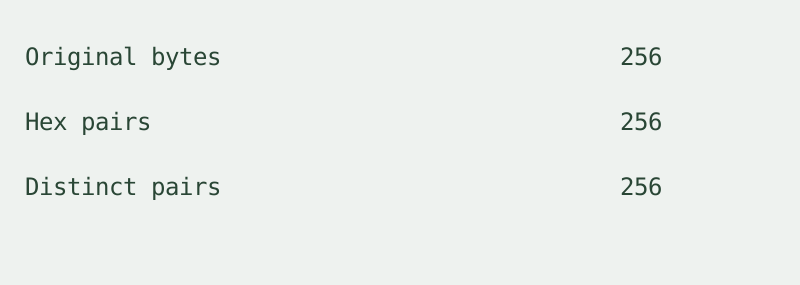
| Original bytes | 256 |
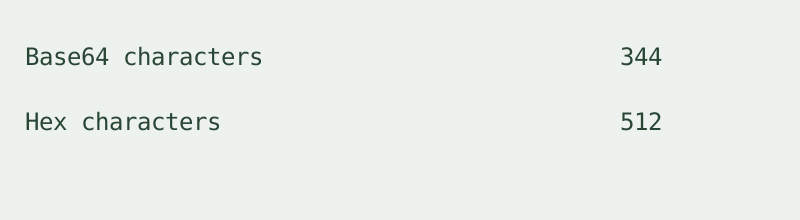
| Base64 characters, including padding | 344 |
| Continuous hex characters | 512 |
| Hex pairs | 256 |
| Distinct hex pairs | 256 |
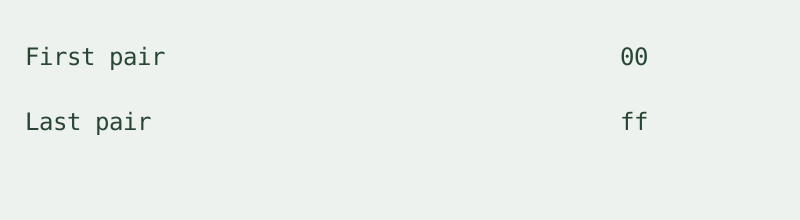
| First pair | 00 |
| Last pair | ff |
| Pairs at an incorrect byte offset | 0 |
The first recovered byte remained the pair 00. It was not removed as a leading zero in a large integer. The last recovered byte remained ff. For each pair, we parsed its two hexadecimal digits and compared that value with its original position in the ordered sample. The recorded count of incorrect positions was zero. This checks the display mapping and byte order, rather than relying on whether the output looks readable.
The table's byte count, character count, pair count, distinct-pair count and mismatch count were measured from the generated input and recovered output. A separate calculated check multiplies the 256 recovered bytes by two hex digits per byte: 256 × 2 = 512. That calculated value matches the measured continuous output length. Separators and an optional prefix are display characters and are excluded from that length.
Use Load measured sample to repeat the experiment. Decode with lowercase letters, no separator and no prefix. The result begins with 00010203 and ends with fcfdfeff. Change to uppercase or add spaces, then compare the ordered pairs rather than counting the added display characters. The four figures below split the same measured table into count, length, boundary and position checks. None is a second experiment.
The sample contains null bytes and high byte values; it is intentionally not a prose sentence. This converter formats decoded bytes directly. It does not turn them into UTF-8 text first, interpret the full sequence as an integer, or reverse it as a little-endian number. Those are separate operations with different results.

How to convert
Paste standard or URL-safe Base64, then convert. Trailing padding may be omitted; whitespace is ignored. A Base64 data URI can be pasted with its prefix. Mixed alphabets and malformed padding are rejected. Copy the hex or download the displayed text. One input is processed at a time; device memory limits its size. There is no login, stored history or input upload.
Does hex output verify the content?
No. Our material list's safety question applies to hex output too. A representation does not authenticate a message or scan a file. This tool displays bytes without executing them.
Is this the reverse conversion?
No. Hex to Base64 converts hex input to an encoded string. This page accepts Base64 and returns hexadecimal byte pairs. The reverse direction is a separate intent.
Watch the byte-spectrum comparison
Loading the player connects to YouTube, which may process your IP address and playback information. The converter works without loading it.