ASCII Table
This ASCII table lists every standard code from 0 to 127, including named control characters, in decimal, hexadecimal, octal and binary.
Enter one character or a decimal number. A digit alone is treated as a number; use char:7 for the digit character.
Complete standard ASCII table
| Decimal | Hex | Octal | Binary | Character |
|---|---|---|---|---|
| 0 | 00 | 000 | 00000000 | NUL — Null |
| 1 | 01 | 001 | 00000001 | SOH — Start of Heading |
| 2 | 02 | 002 | 00000010 | STX — Start of Text |
| 3 | 03 | 003 | 00000011 | ETX — End of Text |
| 4 | 04 | 004 | 00000100 | EOT — End of Transmission |
| 5 | 05 | 005 | 00000101 | ENQ — Enquiry |
| 6 | 06 | 006 | 00000110 | ACK — Acknowledge |
| 7 | 07 | 007 | 00000111 | BEL — Bell |
| 8 | 08 | 010 | 00001000 | BS — Backspace |
| 9 | 09 | 011 | 00001001 | HT — Horizontal Tab |
| 10 | 0A | 012 | 00001010 | LF — Line Feed |
| 11 | 0B | 013 | 00001011 | VT — Vertical Tab |
| 12 | 0C | 014 | 00001100 | FF — Form Feed |
| 13 | 0D | 015 | 00001101 | CR — Carriage Return |
| 14 | 0E | 016 | 00001110 | SO — Shift Out |
| 15 | 0F | 017 | 00001111 | SI — Shift In |
| 16 | 10 | 020 | 00010000 | DLE — Data Link Escape |
| 17 | 11 | 021 | 00010001 | DC1 — Device Control 1 |
| 18 | 12 | 022 | 00010010 | DC2 — Device Control 2 |
| 19 | 13 | 023 | 00010011 | DC3 — Device Control 3 |
| 20 | 14 | 024 | 00010100 | DC4 — Device Control 4 |
| 21 | 15 | 025 | 00010101 | NAK — Negative Acknowledge |
| 22 | 16 | 026 | 00010110 | SYN — Synchronous Idle |
| 23 | 17 | 027 | 00010111 | ETB — End of Transmission Block |
| 24 | 18 | 030 | 00011000 | CAN — Cancel |
| 25 | 19 | 031 | 00011001 | EM — End of Medium |
| 26 | 1A | 032 | 00011010 | SUB — Substitute |
| 27 | 1B | 033 | 00011011 | ESC — Escape |
| 28 | 1C | 034 | 00011100 | FS — File Separator |
| 29 | 1D | 035 | 00011101 | GS — Group Separator |
| 30 | 1E | 036 | 00011110 | RS — Record Separator |
| 31 | 1F | 037 | 00011111 | US — Unit Separator |
| 32 | 20 | 040 | 00100000 | SPACE — Space |
| 33 | 21 | 041 | 00100001 | ! |
| 34 | 22 | 042 | 00100010 | " |
| 35 | 23 | 043 | 00100011 | # |
| 36 | 24 | 044 | 00100100 | $ |
| 37 | 25 | 045 | 00100101 | % |
| 38 | 26 | 046 | 00100110 | & |
| 39 | 27 | 047 | 00100111 | ' |
| 40 | 28 | 050 | 00101000 | ( |
| 41 | 29 | 051 | 00101001 | ) |
| 42 | 2A | 052 | 00101010 | * |
| 43 | 2B | 053 | 00101011 | + |
| 44 | 2C | 054 | 00101100 | , |
| 45 | 2D | 055 | 00101101 | - |
| 46 | 2E | 056 | 00101110 | . |
| 47 | 2F | 057 | 00101111 | / |
| 48 | 30 | 060 | 00110000 | 0 |
| 49 | 31 | 061 | 00110001 | 1 |
| 50 | 32 | 062 | 00110010 | 2 |
| 51 | 33 | 063 | 00110011 | 3 |
| 52 | 34 | 064 | 00110100 | 4 |
| 53 | 35 | 065 | 00110101 | 5 |
| 54 | 36 | 066 | 00110110 | 6 |
| 55 | 37 | 067 | 00110111 | 7 |
| 56 | 38 | 070 | 00111000 | 8 |
| 57 | 39 | 071 | 00111001 | 9 |
| 58 | 3A | 072 | 00111010 | : |
| 59 | 3B | 073 | 00111011 | ; |
| 60 | 3C | 074 | 00111100 | < |
| 61 | 3D | 075 | 00111101 | = |
| 62 | 3E | 076 | 00111110 | > |
| 63 | 3F | 077 | 00111111 | ? |
| 64 | 40 | 100 | 01000000 | @ |
| 65 | 41 | 101 | 01000001 | A |
| 66 | 42 | 102 | 01000010 | B |
| 67 | 43 | 103 | 01000011 | C |
| 68 | 44 | 104 | 01000100 | D |
| 69 | 45 | 105 | 01000101 | E |
| 70 | 46 | 106 | 01000110 | F |
| 71 | 47 | 107 | 01000111 | G |
| 72 | 48 | 110 | 01001000 | H |
| 73 | 49 | 111 | 01001001 | I |
| 74 | 4A | 112 | 01001010 | J |
| 75 | 4B | 113 | 01001011 | K |
| 76 | 4C | 114 | 01001100 | L |
| 77 | 4D | 115 | 01001101 | M |
| 78 | 4E | 116 | 01001110 | N |
| 79 | 4F | 117 | 01001111 | O |
| 80 | 50 | 120 | 01010000 | P |
| 81 | 51 | 121 | 01010001 | Q |
| 82 | 52 | 122 | 01010010 | R |
| 83 | 53 | 123 | 01010011 | S |
| 84 | 54 | 124 | 01010100 | T |
| 85 | 55 | 125 | 01010101 | U |
| 86 | 56 | 126 | 01010110 | V |
| 87 | 57 | 127 | 01010111 | W |
| 88 | 58 | 130 | 01011000 | X |
| 89 | 59 | 131 | 01011001 | Y |
| 90 | 5A | 132 | 01011010 | Z |
| 91 | 5B | 133 | 01011011 | [ |
| 92 | 5C | 134 | 01011100 | \ |
| 93 | 5D | 135 | 01011101 | ] |
| 94 | 5E | 136 | 01011110 | ^ |
| 95 | 5F | 137 | 01011111 | _ |
| 96 | 60 | 140 | 01100000 | ` |
| 97 | 61 | 141 | 01100001 | a |
| 98 | 62 | 142 | 01100010 | b |
| 99 | 63 | 143 | 01100011 | c |
| 100 | 64 | 144 | 01100100 | d |
| 101 | 65 | 145 | 01100101 | e |
| 102 | 66 | 146 | 01100110 | f |
| 103 | 67 | 147 | 01100111 | g |
| 104 | 68 | 150 | 01101000 | h |
| 105 | 69 | 151 | 01101001 | i |
| 106 | 6A | 152 | 01101010 | j |
| 107 | 6B | 153 | 01101011 | k |
| 108 | 6C | 154 | 01101100 | l |
| 109 | 6D | 155 | 01101101 | m |
| 110 | 6E | 156 | 01101110 | n |
| 111 | 6F | 157 | 01101111 | o |
| 112 | 70 | 160 | 01110000 | p |
| 113 | 71 | 161 | 01110001 | q |
| 114 | 72 | 162 | 01110010 | r |
| 115 | 73 | 163 | 01110011 | s |
| 116 | 74 | 164 | 01110100 | t |
| 117 | 75 | 165 | 01110101 | u |
| 118 | 76 | 166 | 01110110 | v |
| 119 | 77 | 167 | 01110111 | w |
| 120 | 78 | 170 | 01111000 | x |
| 121 | 79 | 171 | 01111001 | y |
| 122 | 7A | 172 | 01111010 | z |
| 123 | 7B | 173 | 01111011 | { |
| 124 | 7C | 174 | 01111100 | | |
| 125 | 7D | 175 | 01111101 | } |
| 126 | 7E | 176 | 01111110 | ~ |
| 127 | 7F | 177 | 01111111 | DEL — Delete |
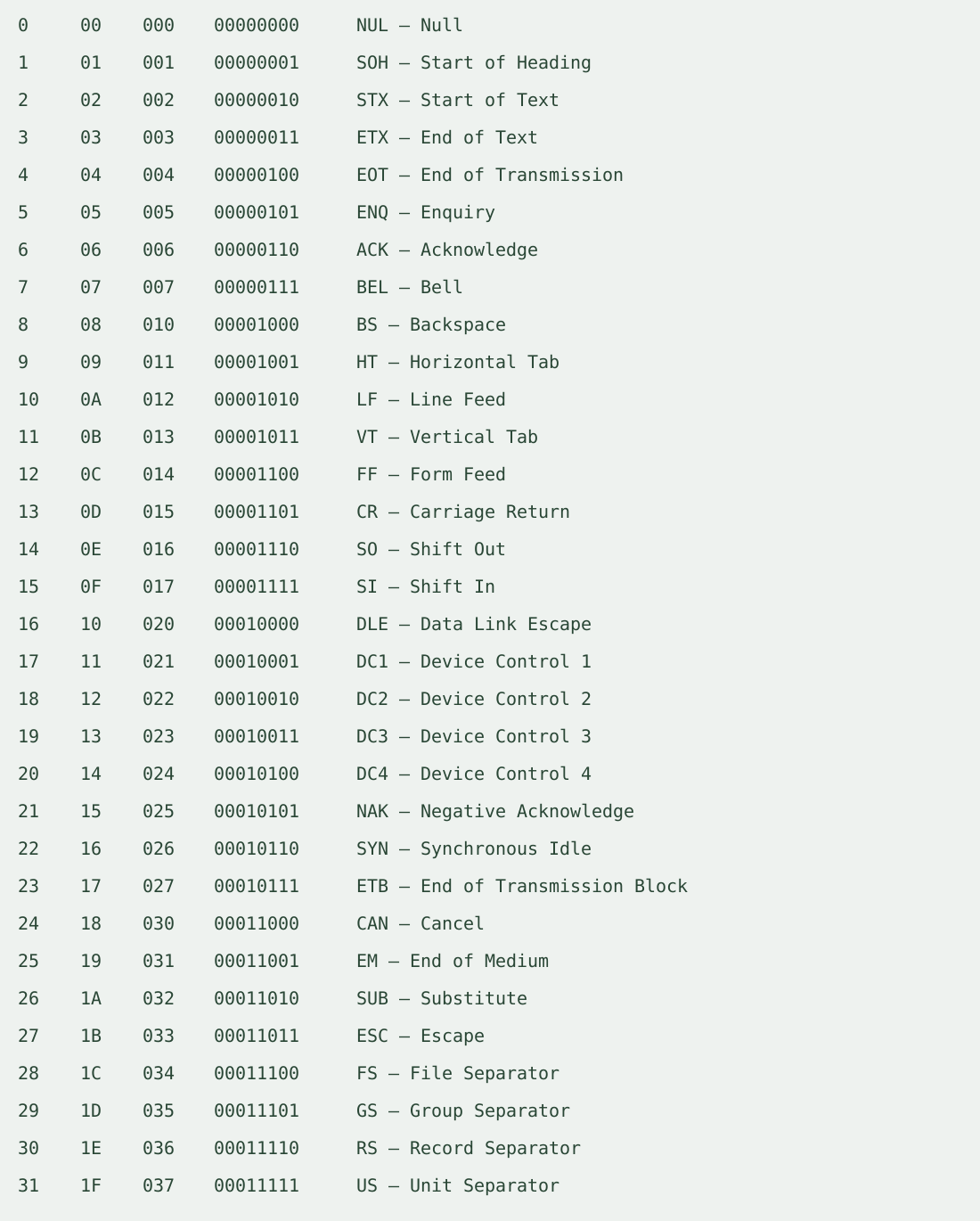
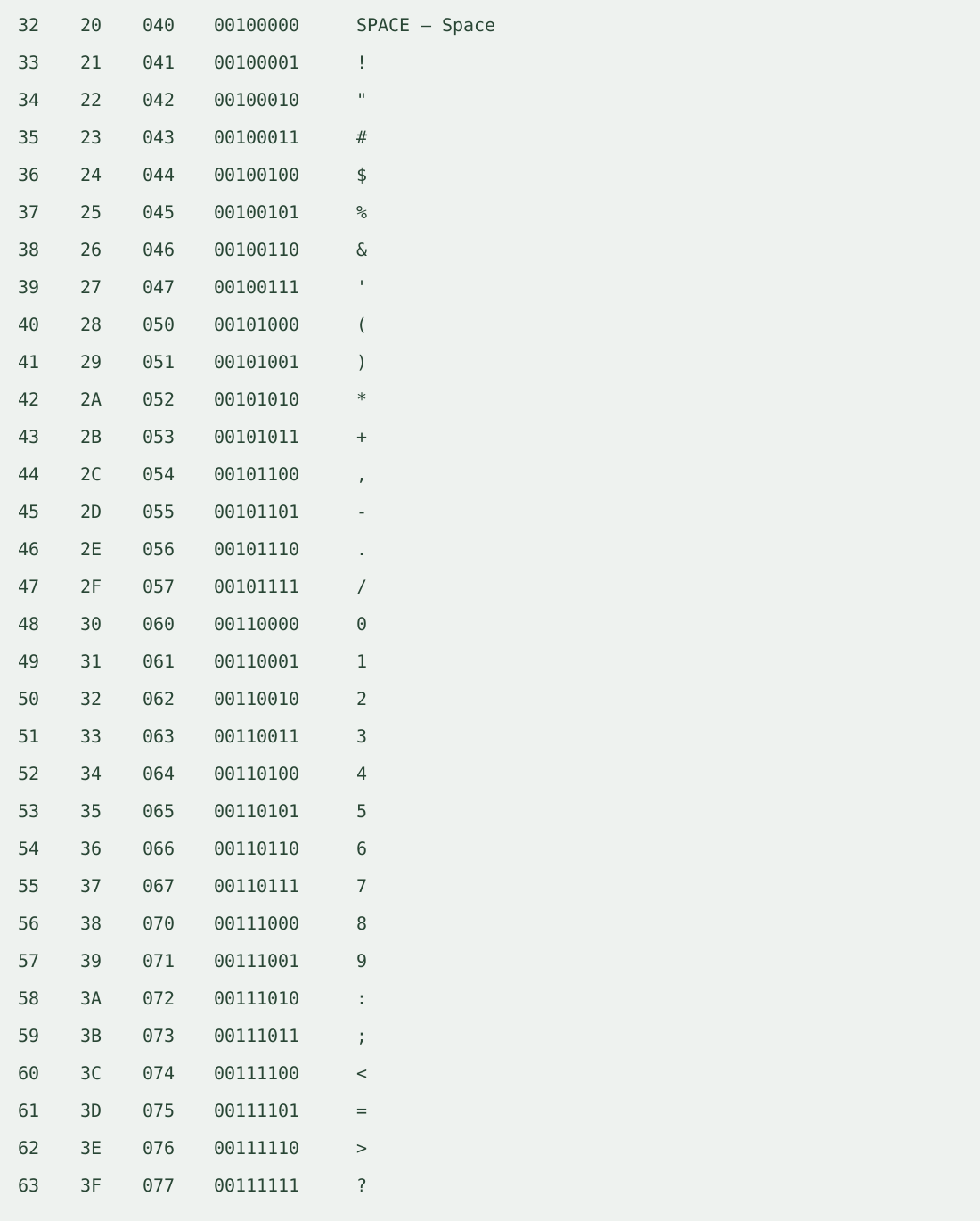
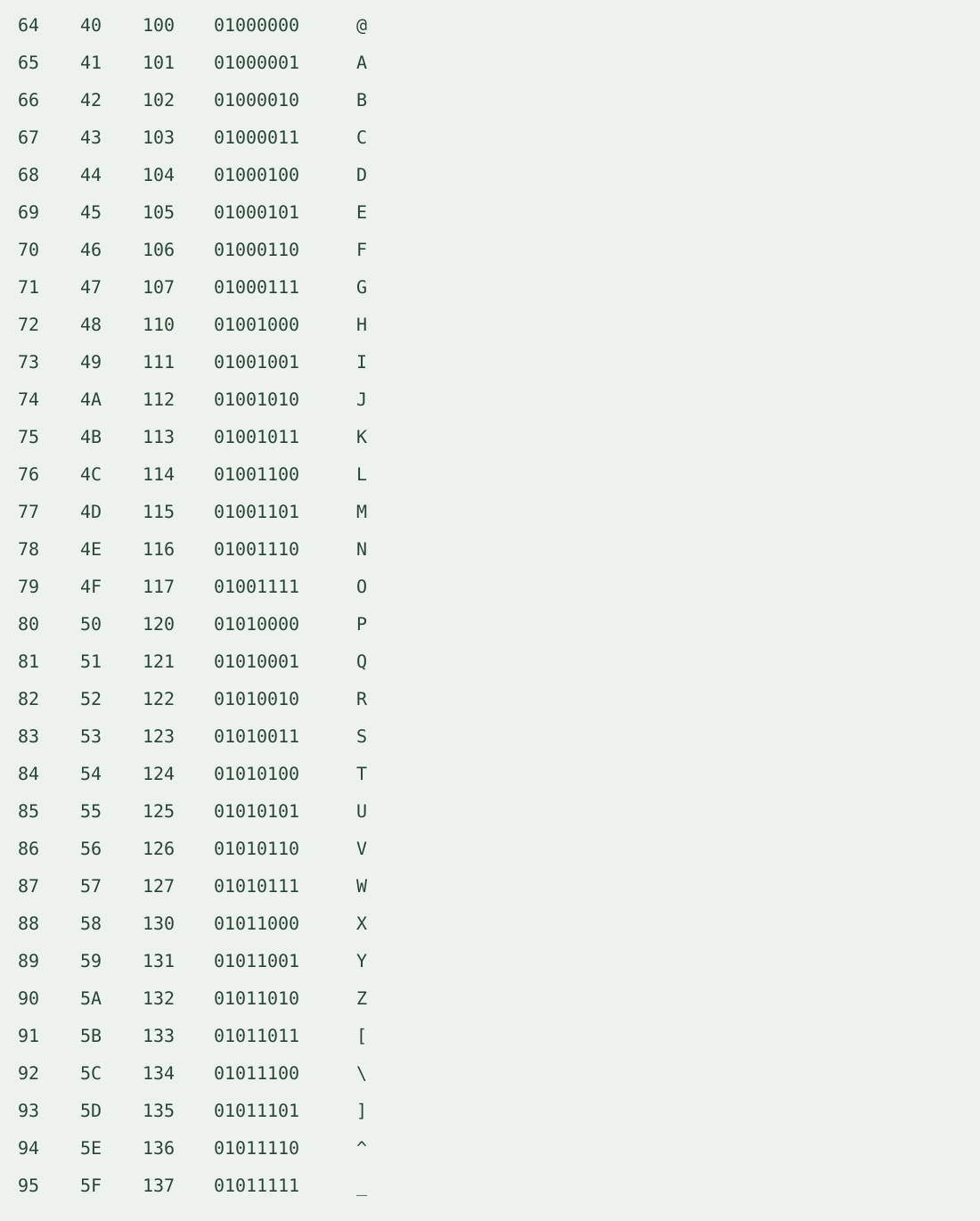
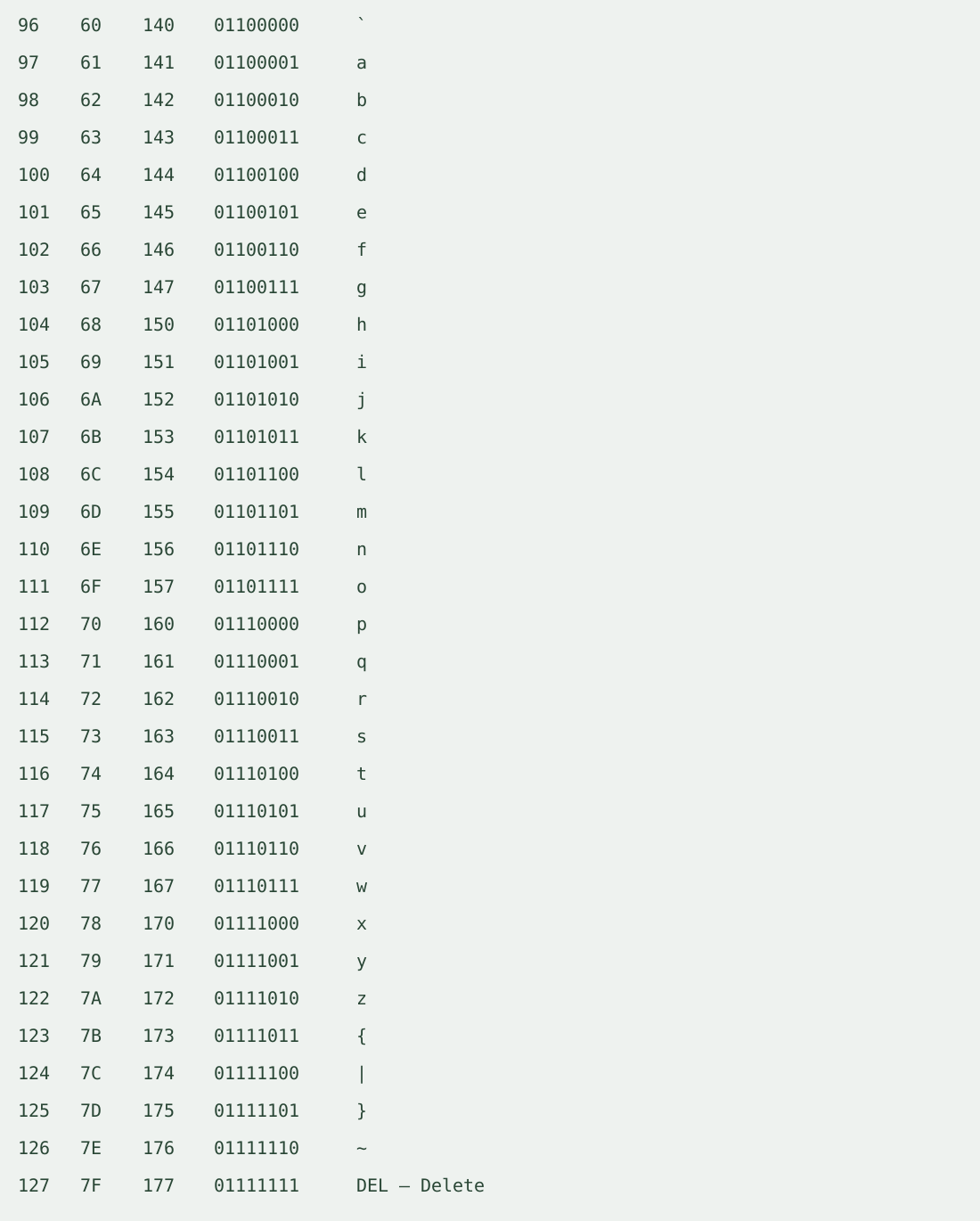
Four sections of the same table
How to use the table
Type one ASCII character or its decimal code and select Find row. The page scrolls to and highlights the matching row. Hex, octal and binary columns are alternative representations of that same code. Binary is shown as an eight-bit group with a leading zero; standard ASCII uses seven meaningful bits.
Numbers entered in the lookup are decimal. To look up a digit character instead, enter char: followed by the digit, such as char:7. A literal space finds SPACE. For invisible control characters, enter their decimal code. Lookup highlights one existing row; it does not alter the table or convert files.
How were the values generated and checked?
We generated every integer in the inclusive range, formatted it in the three other bases, then parsed each formatted value back and checked that it equaled the original decimal code. We also encoded the character for each code as ASCII and checked its byte value. Every row passed those checks. Control names are standard labels, not measured quantities. The four figures contain the same generated rows, with no extra readings or estimates.
What is an ascii code?
An ascii code is the numeric identifier of a standard ASCII character or control action. The same value can be written in different bases; the character column identifies its meaning.
Why do some rows have names instead of visible letters?
Codes before SPACE are control characters, such as LF for Line Feed and CR for Carriage Return. DEL is also named. These do not represent ordinary printable letters, so the table displays their abbreviations and names.
Are LF and CR the same?
No. They are separate codes with separate rows. A line ending may contain LF or a CR followed by LF; the table does not combine them into one character.
Does the table include extended ASCII or emoji?
No. It is standard ASCII only. Values beyond the standard range require a different character encoding; an extended byte table is not one universal ASCII standard. Emoji are not ASCII characters.
How do I convert a sequence of codes?
Use the ASCII code to text decoder for code sequences, or the Text to ASCII encoder to obtain codes from text. This page is a complete reference table with a row locator.
Privacy and scope
Lookup runs in your browser. It does not require login, transmit the query, upload files or save a lookup history. It accepts one character or one decimal code at a time.
Related encoding walkthrough
This existing video demonstrates hexadecimal byte input and Base64 output. It is a related representation walkthrough, not a presentation of this ASCII table.
Loading the player connects to YouTube and shares connection information such as your IP address and playback requests.