ASCII Decode
Decode ASCII codes to text locally; ambiguous bases and grouping require your confirmation.
Original sample: encode and decode Lab!
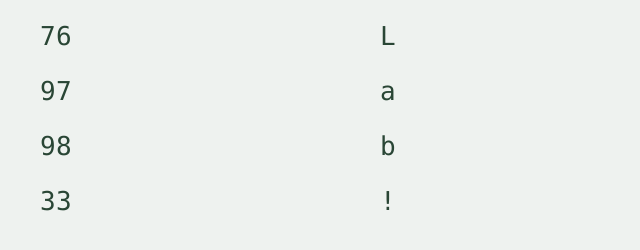
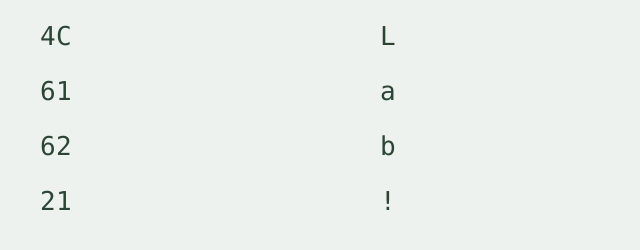
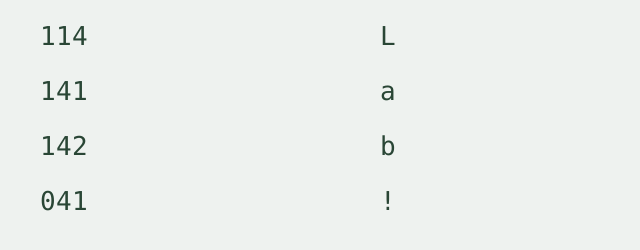
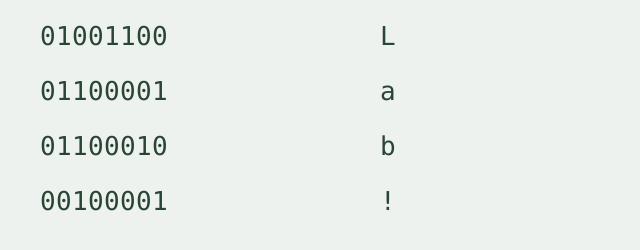
We created the text Lab! for this run, encoded its characters in decimal, hexadecimal, octal and binary, then decoded each numeric sequence with this page’s parser. Every recovered character was checked against the original. The table records the four measured characters; it is a sample lookup, not a complete character table.
| Decimal | Hex | Octal | Binary | Character |
|---|---|---|---|---|
| 76 | 4C | 114 | 01001100 | L |
| 97 | 61 | 141 | 01100001 | a |
| 98 | 62 | 142 | 01100010 | b |
| 33 | 21 | 041 | 00100001 | ! |
Recorded round trips
- Base 10: 76 97 98 33 → Lab!; each character matched.
- Base 16: 4c 61 62 21 → Lab!; each character matched.
- Base 8: 114 141 142 41 → Lab!; each character matched.
- Base 2: 1001100 1100001 1100010 100001 → Lab!; each character matched.
Input rules and grouping
This ascii to text tool accepts one sequence per run. Separate codes with spaces or commas. Line breaks are separators within that same sequence, not independent batch items. Choose decimal, hex, octal or binary. Detection recognizes 0x, 0o and 0b prefixes or unambiguous hex letters. Digits without prefixes do not identify a unique base, so detection asks you to choose one.
Continuous codes can use a fixed group width, including zero-padded groups, or adaptive grouping for codes with omitted leading zeros. Adaptive grouping lists up to eight candidates; it is not exhaustive. The tool does not silently choose a candidate, invent missing zeros or discard invalid characters. Use explicit separators when the candidates do not show your intended grouping. An invalid character is reported by its position; an out-of-range code is rejected and the previous result is cleared.
Standard and extended characters
Standard ASCII accepts values from 0 through 127, including control characters that may not be visible in the output box. Extended mode uses ISO-8859-1 values from 0 through 255. It is not Windows-1252 or UTF-8 byte decoding. Values outside the selected range are rejected rather than wrapped or replaced.
Scope and limits
Processing stays in your browser. This ascii converter has no file upload, batch mode, login or saved history. Total input is limited to 20,000 characters; adaptive continuous grouping is limited to 256 digits to bound local memory use. Fixed-width grouping or separated codes avoids the adaptive limit.
Are ascii decoder and ascii code decoder the same thing?
Yes. On this page, both names mean converting numeric character codes into text. Base64 decoding is a different representation: use the Base64 decoder for that input.
Related encoding walkthrough
This existing video demonstrates hexadecimal byte input and Base64 output. It covers a different direction from ASCII character decoding.
Loading the player connects to YouTube and shares connection information such as your IP address and playback requests.