Text to Base64
Text to Base64 encodes UTF-8 bytes: our visually similar accent samples produced different results until optional NFC normalization made their byte sequences match.
Ready. Encoding stays in your browser.
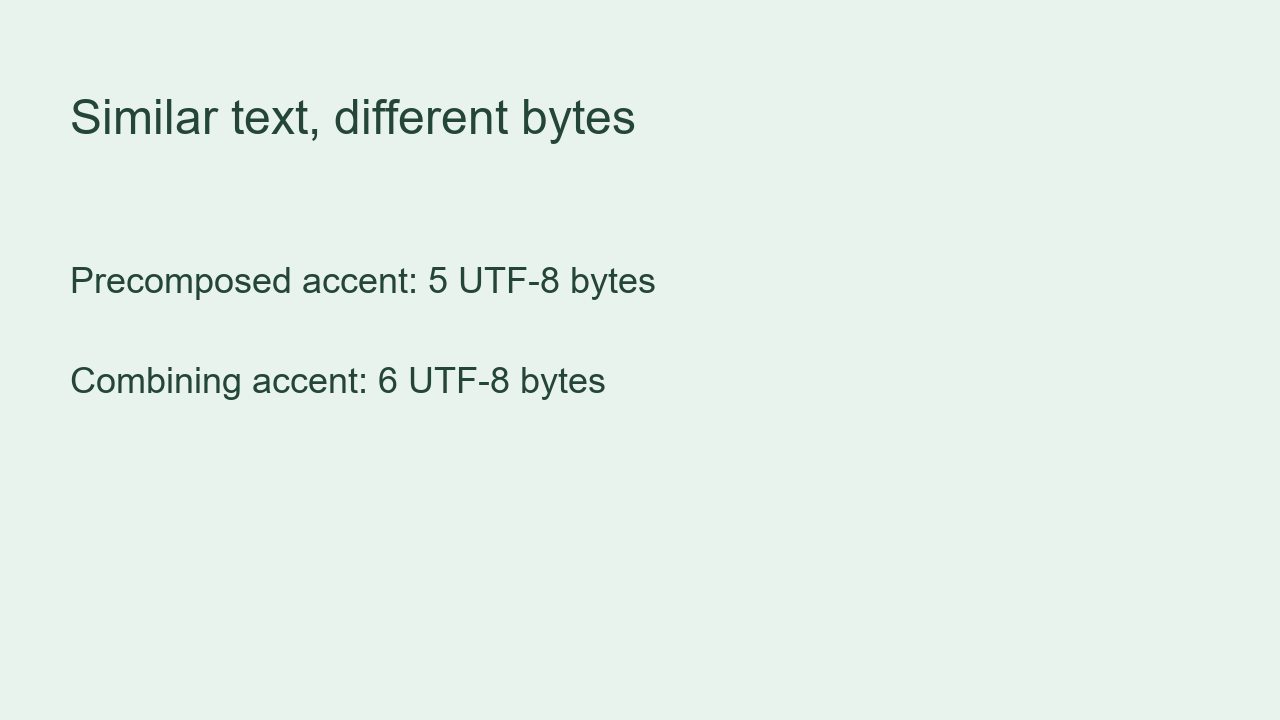
Similar text, different UTF-8 bytes
We created two visually similar inputs for this run. The first spells Café with one precomposed accented letter. The second spells Café with a separate combining accent after the final letter. We encoded each exact string as UTF-8, converted those bytes to Base64, decoded the result and compared the recovered bytes with the input bytes. We did not normalize either input in this first comparison.
| Input | UTF-8 bytes | Hex | Base64 | Recovered bytes match? |
|---|---|---|---|---|
Café | 5 | 436166c3a9 | Q2Fmw6k= | Yes |
Café | 6 | 43616665cc81 | Q2FmZcyB | Yes |
😀 | 4 | f09f9880 | 8J+YgA== | Yes |
A\r\nB | 4 | 410d0a42 | QQ0KQg== | Yes |
A\nB | 3 | 410a42 | QQpC | Yes |
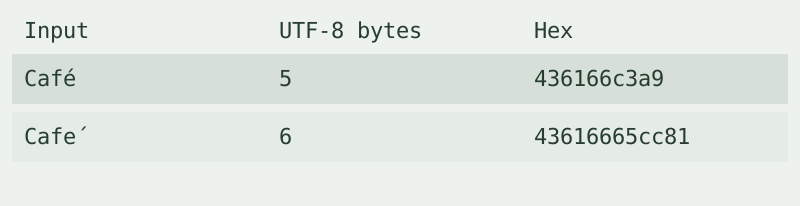

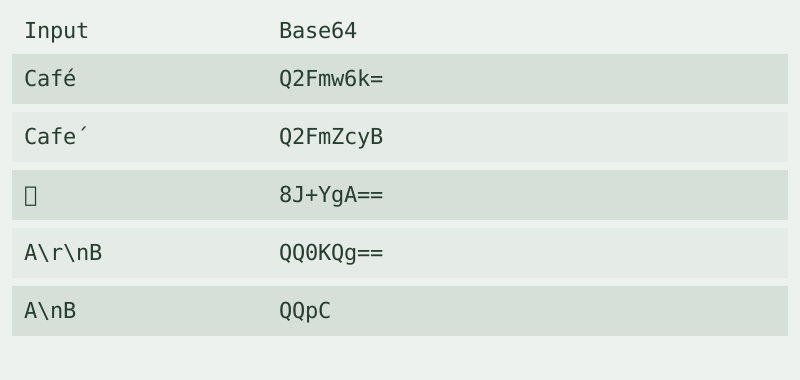
Measured precomposed input: 5 bytes, hexadecimal 436166c3a9, Base64 Q2Fmw6k=. Measured combining-accent input: 6 bytes, hexadecimal 43616665cc81, Base64 Q2FmZcyB. Both recovered byte sequences matched their own originals. They did not match each other. These are measurements from the saved sample strings, not estimates from how the text looks.
For a controlled second run, enable NFC normalization and encode the combining-accent input again. Its measured result becomes Q2Fmw6k=, matching the precomposed input. Normalization changes the input representation before encoding; it is optional and off by default. The converter does not silently apply it.
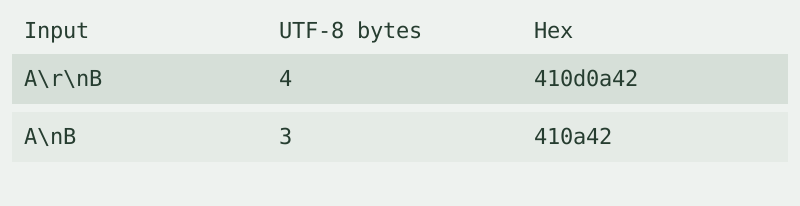
We also measured an emoji and two line-ending samples. The emoji produced 4 UTF-8 bytes and Base64 8J+YgA==. A carriage return followed by a line feed produced the bytes 410d0a42 and result QQ0KQg==; a line feed alone produced 410a42 and result QQpC. Each decoded back to its recorded bytes. In a browser textarea, line endings may be normalized by the input control. Those two line-ending rows were measured from explicit script strings rather than claimed as distinct pasted textarea inputs.
To reproduce the accent comparison, copy the exact strings from the table, leave normalization off and record the byte count and output. Decode each result as UTF-8. Then turn normalization on for the combining-accent row and compare again. The saved hex sequences let you check that you copied the intended input instead of relying on its appearance.
How to encode text
Enter text, choose Encode text and copy the result. This text to base64 converter handles Unicode through UTF-8. Use it to encode base64 from text; use the decoder for the reverse direction. The result is plain Base64, without a data URI prefix. It processes one input at a time, has no account or stored history, and is limited by available device memory.
Does Base64 protect private text?
No. The safety question in our material list also applies to text: encoding is not encryption. This converter processes the input locally and does not upload it. Anyone with the output can decode it. Do not treat an encoded password as a protected password.
Why can similar text produce different output?
The measured accent rows above answer this question with exact byte sequences. Choose normalization only when changing the text representation is appropriate for your receiving system. Keep it off when the original byte representation must be preserved.
Watch the UTF-8 comparison
The video covers the same measured samples. Loading the player connects to YouTube, which may process your IP address and playback information. The converter works without loading it.