JPG to PNG
JPG to PNG creates a downloadable PNG at the decoded JPEG dimensions; it cannot bring back detail already discarded by JPEG, add transparency or repair image quality, and the file can become larger.
Ready. One JPEG, up to 8 MiB.
Original JPEG
Converted PNG
No converted file yet.
Download PNGFour original JPEGs, actual PNG downloads
We generated one original drawing with a textured gradient, text and solid shapes, then saved four JPEG samples at source encoder settings 95, 85, 65 and 40. These settings created our test JPEGs; they are not controls for this PNG converter. Each before-and-after pair shows the exact same uploaded JPEG and its actual exported PNG. We did not reuse another page’s measured files or table.
| Sample | JPEG bytes | PNG bytes | Both dimensions | Browser changed RGB pixels | PNG non-opaque pixels | Pillow changed RGB pixels |
|---|---|---|---|---|---|---|
| 1 | 49353 | 210511 | 480 × 240 | 0 | 0 | 0 |
| 2 | 28467 | 216497 | 480 × 240 | 0 | 0 | 0 |
| 3 | 14917 | 197349 | 480 × 240 | 0 | 0 | 0 |
| 4 | 9529 | 182716 | 480 × 240 | 0 | 0 | 0 |

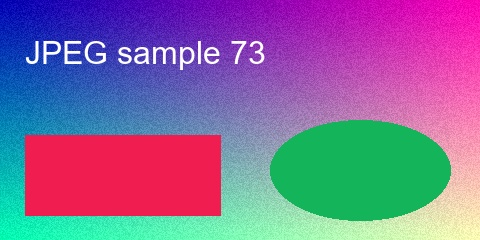
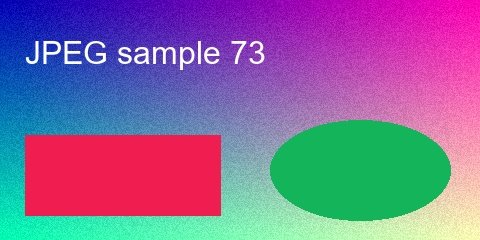

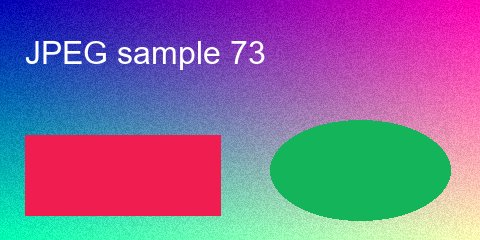
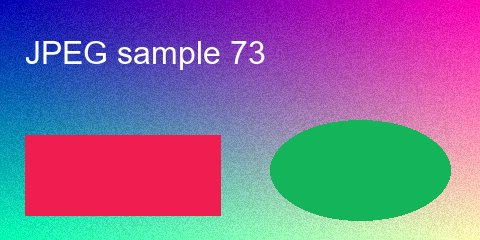

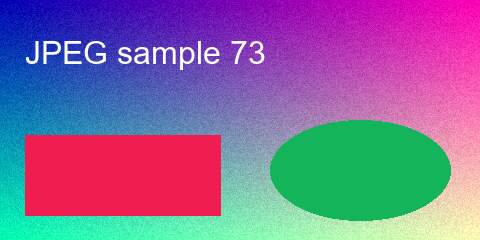
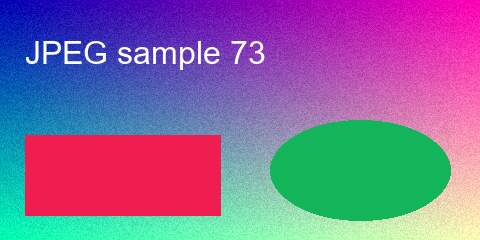

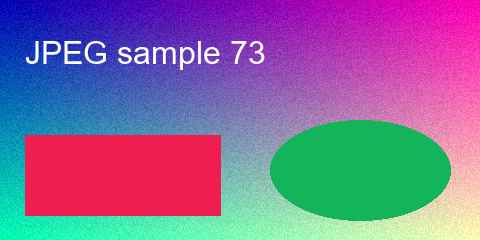
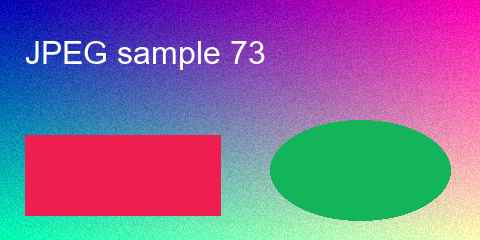
All four downloaded files reopened as PNG at 480 × 240. We counted non-opaque pixels by checking whether alpha was below 255: all four counts were zero. The original JPEGs have no alpha channel. Exporting them as PNG did not create transparency, even though PNG as a format can support it.
The browser comparison reads the decoded JPEG pixels from a canvas, exports that canvas as PNG, decodes the exported PNG and compares red, green and blue channels at every pixel. Every sample had zero changed RGB pixels and maximum channel difference zero in this browser check. This verifies storage of the already-decoded JPEG image; it is not evidence of recovering the image that existed before JPEG compression.
For a separate implementation check, Python Pillow opened each downloaded PNG and its matching original JPEG. We checked file signatures, dimensions, stored byte counts, opaque alpha and the number of pixels with any RGB difference. The last column reports that separate comparison, rather than assuming that two JPEG decoders produce identical pixels. Zero in that column means exact agreement for our sample, not a general image-quality claim.
The PNG files in these four runs were larger than their source JPEGs. The encoder is storing the JPEG’s decoded pixels in another format; it cannot reconstruct detail that JPEG already discarded. A larger download does not mean sharper text or repaired edges. Other inputs and browser encoders can give different file sizes.
To repeat a row, save its displayed JPEG, upload it above, convert and download the PNG. Open both files and check their dimensions and visible content. The displayed metrics come from your uploaded image and its generated file, never from a fixed example download. The browser reads pixel data; this test does not measure subjective sharpness or assign a quality percentage.
What converting does and does not change
The browser decodes JPEG into pixels, then stores those pixels in a PNG file. This does not reverse previous JPEG compression. Discarded details do not come back, and the conversion does not improve clarity. Output files can grow substantially; more bytes are not a quality improvement. No sharpening, upscaling, background removal or quality-repair operation is performed.
JPEG has no transparency channel. Every output pixel is opaque. This tool does not turn a white or black background transparent. PNG’s ability to store transparency is separate from whether this particular image contains it.
Supported input, output and limits
One JPEG image per run, including .jpg and .jpeg filenames, checked by its JPEG signature. Maximum file size: 8 MiB. Maximum decoded dimensions: 4,000 pixels per side and 8 million pixels total. Output is an image/png file with a .png download name, using the same decoded width and height. An orientation tag can affect the browser’s decoded dimensions; the tool follows that displayed orientation rather than copying encoded dimensions blindly.
No login, registration, batch mode, daily quota or saved history. Processing and download generation stay in your browser, with no conversion API or image upload. Available memory still limits processing. Invalid or unreadable files report an error. Source metadata is not copied into the PNG. No PNG compression or quality control is exposed.
How to use it
Choose a JPEG, press Convert to PNG, compare the previews and byte counts, then press Download PNG. The download is generated from your selected file. Choose a different image to clear the previous download.
Which page handles the other direction?
PNG to JPG exports JPEG and handles the removal of a PNG’s transparency. Base64 to PNG processes encoded input. Base64 to Image restores image files from encoded text. Image to Base64 encodes image bytes. This page only converts an uploaded JPEG into PNG.
Related image representation walkthrough
This existing video explains character art, not PNG export. Loading its player connects to YouTube and shares connection information such as your IP address and playback requests.