Why Does My Base64 WAV Play as Noise?
Decode the Base64 into bytes and pass the complete WAV to a WAV parser. Do not assume that PCM begins at byte 44. In our paired files, PCM started at offsets 44 and 60 even though both contained exactly the same sixteen audio bytes.
- Both Base64 strings decoded back to their complete original WAV files.
- Reading each file with Python wave returned the same eight signed samples.
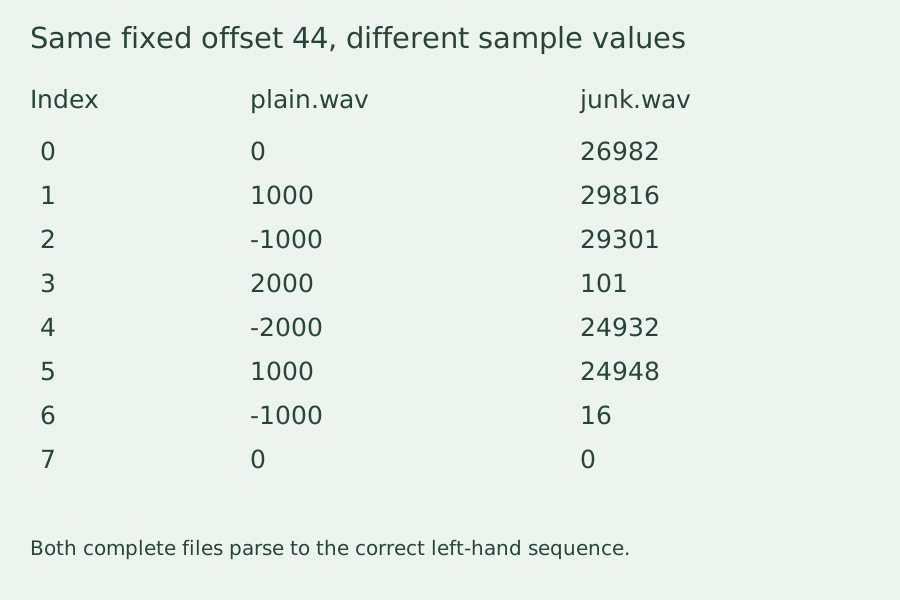
- Taking sixteen bytes at fixed offset 44 returned different samples for the file containing JUNK.
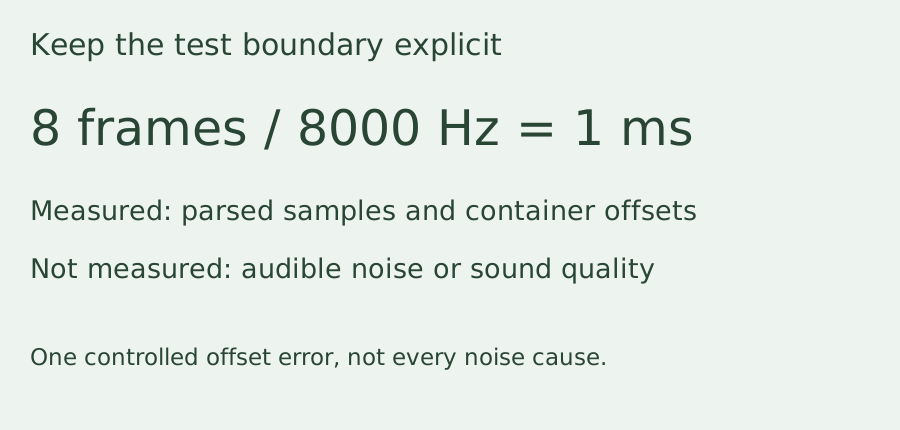
- This test isolates a container-offset error; it does not prove the cause of every noisy audio recording.
Same PCM, different RIFF layouts
On 2026-10-25, Python 3.12.14 regenerated our plain.wav at 60 bytes and junk.wav at 76 bytes. Their Base64 representations contained 80 and 104 characters respectively. Strict Base64 decoding reproduced each original file byte for byte.
Both parsed files had one channel, a two-byte sample width, an 8000 Hz sample rate and eight frames. Reading their data chunks produced sixteen PCM bytes in each case. The decoded signed sample sequence was 0, 1000, -1000, 2000, -2000, 1000, -1000, 0 for both files.
The plain file stored its data chunk header at offset 36 and its PCM payload at offset 44. Inserting a JUNK chunk moved the data header to offset 52 and the PCM payload to offset 60. That JUNK chunk contained seven payload bytes followed by one alignment byte, so its complete contribution was eight header bytes plus seven payload bytes plus one pad byte: sixteen bytes.
The RIFF size fields were 52 and 68, exactly eight bytes smaller than the respective complete files. Both extracted PCM blocks had SHA-256 f8ce55e6a611b21b6d1c1b594f69e01cd5ed3418562922489cafe133a3d6f664. The complete-file hashes differed, which is expected when one container includes an additional chunk.
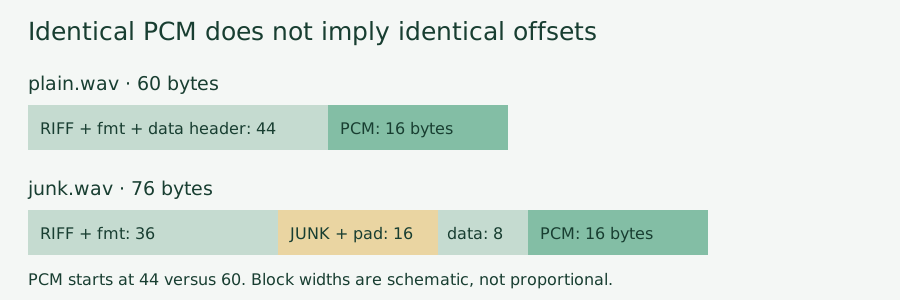
What the fixed-offset control actually read
For each file, our control took exactly sixteen bytes starting at offset 44 and unpacked them as eight little-endian signed sixteen-bit integers. For plain.wav, it returned the correct sequence. For junk.wav, it returned 26982, 29816, 29301, 101, 24932, 24948, 16, 0 instead. Those values came from the JUNK payload, its pad byte and the following data-chunk header, not the audio payload.
This was a sample-value comparison, not a listening test. Eight frames at 8000 Hz represent only one millisecond. We did not measure audible noise, speaker loudness or playback quality with these tiny fixtures. Do not infer that every recording with noise has a JUNK chunk.
Reproduce the boundary check
Run the supplied Python script in an empty directory. It writes both WAV files, their Base64 text and a JSON result. Compare the parser-derived PCM samples before trying a hard-coded byte offset. The script advances each RIFF chunk by its eight-byte header, declared payload length and an extra alignment byte when that length is odd.
A successful Base64 decode does not identify the audio container, sample format or sample rate. This fixture uses uncompressed mono PCM WAV; compressed WAV codecs, RF64, malformed chunks and other audio formats are outside this check. For a separate example of preserving a binary container after decoding, read our Base64 gzip decoding experiment.
Download the reproducible inputs
Plain WAVWAV with JUNKPlain Base64JUNK Base64Reproduce with PythonRecorded output JSON