How to Decode Base64 Gzip in Python
Does the same Base64 value restore both gzip members?
Decode Base64 into bytes, then use a gzip decompressor that reads every member: our joined sample restores 49 text bytes, while a first-member call returns only 23.
Base64 decoding and gzip decompression are separate steps. A successful decode does not establish that the next step consumed the complete compressed file. Use Base64 Decode to inspect bytes; use the experiment below to check the gzip step.
A small file with a visible missing line
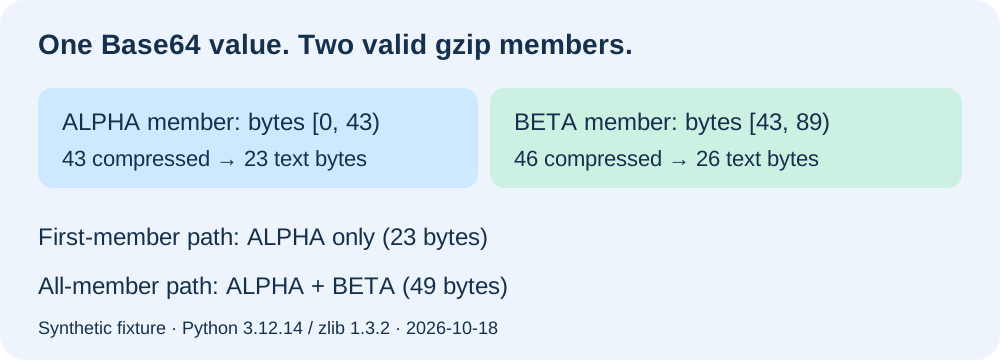
We created the samples on 2026-10-18 using Python 3.12.14 and zlib 1.3.2. ALPHA contains ALPHA: keep this line.\n; BETA contains BETA: keep this line too.\n. Here, the displayed backslash-n represents one LF byte, not two literal characters. Their measured uncompressed lengths are 23 and 26 bytes. Both lines are synthetic public test content.
We built each member separately with compression level 6, a fixed zero timestamp, no optional filename, and an OS header byte of 255. The measured ALPHA member occupies 43 bytes; BETA occupies 46. Joining those complete members produced an 89-byte file. We encoded the joined binary once, obtaining a 120-character Base64 value, and strict Base64 decoding returned all 89 original bytes unchanged.
| Fixture | Gzip bytes | Base64 characters | Members | First output bytes | All output bytes |
|---|---|---|---|---|---|
| single | 43 | 60 | 1 | 23 | 23 |
| joined | 89 | 120 | 2 | 23 | 49 |
| reversed | 89 | 120 | 2 | 26 | 49 |
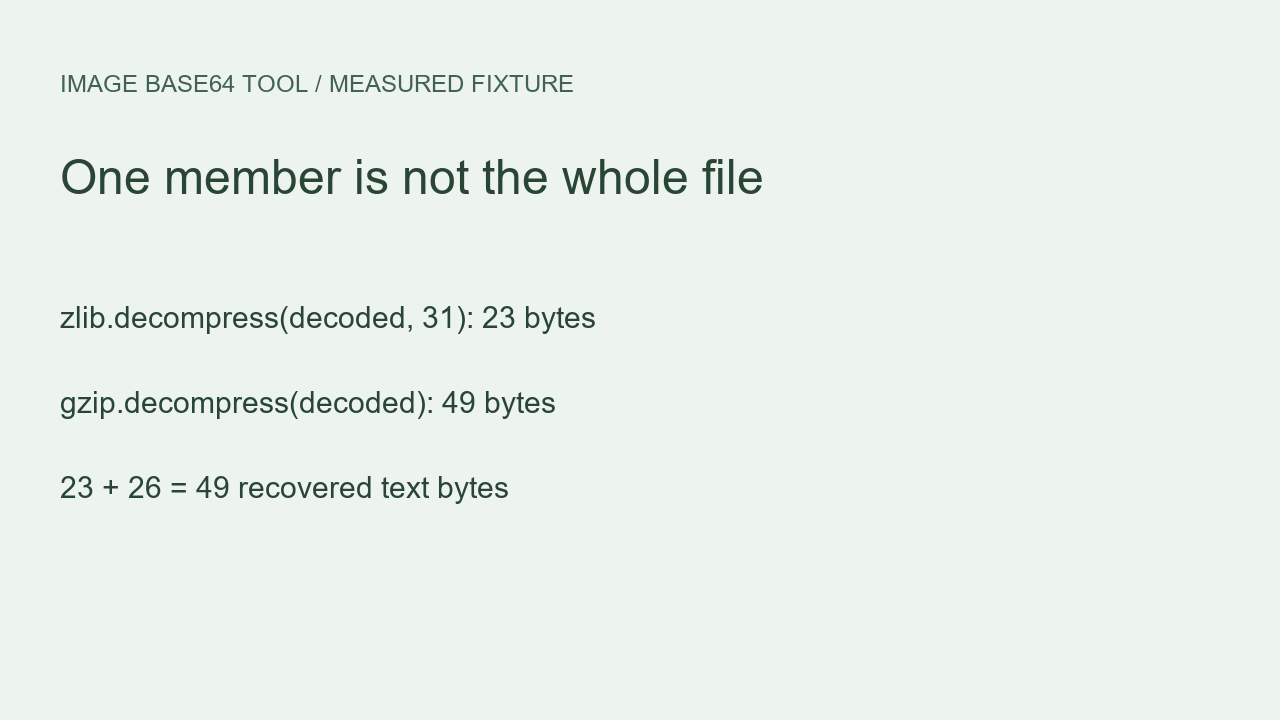
For the joined file, zlib.decompress(decoded, 31) returned only the ALPHA line, measuring 23 bytes. gzip.decompress(decoded) returned ALPHA followed by BETA, measuring 49 bytes. The input to both calls was the same decoded byte sequence. Nothing was removed by our Base64 step; the difference appeared when these two decompression calls processed that sequence.
Check boundaries instead of counting header-like bytes
| Member | Start | End exclusive | Compressed bytes | Text bytes | CRC32 |
|---|---|---|---|---|---|
| 1 | 0 | 43 | 43 | 23 | bd6842a8 |
| 2 | 43 | 89 | 46 | 26 | a48aa1fd |
We located the second member at offset 43 by decompressing the first member and examining the remaining input. We did not search for a repeated magic-byte pattern. The first decoder reached its end-of-stream flag and left 46 bytes unused. A fresh decoder consumed those bytes as the BETA member. Its trailer contained CRC32 a48aa1fd and an uncompressed size of 26; both matched the recovered BETA bytes.
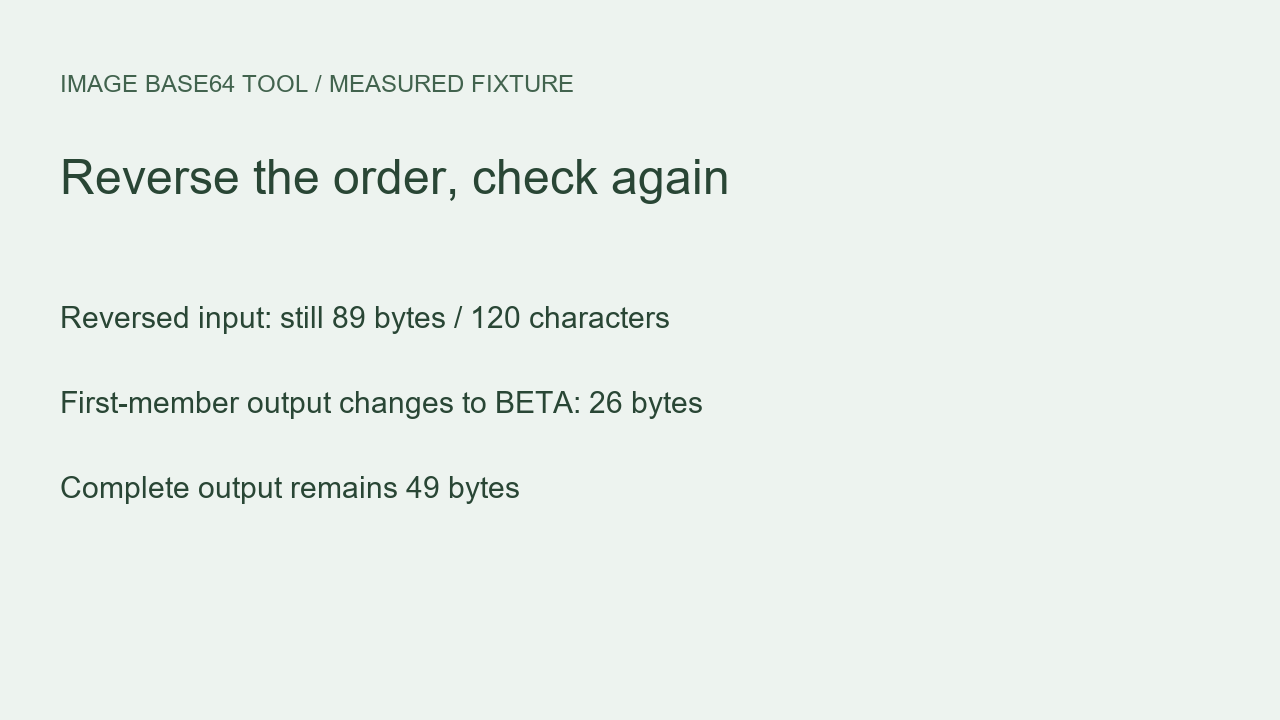
As an order control, we reversed the two complete members without changing either member internally. The resulting file still measured 89 bytes and encoded to 120 characters. The first-member call now returned BETA alone, measuring 26 bytes; the complete call returned BETA then ALPHA, still measuring 49. This control ties the short output to member order rather than to either line's wording.
Our single-member control contained ALPHA alone. It measured 43 compressed bytes and 60 Base64 characters, and both decompression paths returned the same 23-byte line. A passing result on that control would therefore miss the joined-file difference. The joined and reversed fixtures exercise the additional member explicitly instead of relying on a successful call or a readable first line.
Watch the experiment
Reproduce the result
Download joined.b64.txt and run this code in the same directory. This in-memory example is intended for the small public fixture.
import base64, gzip, zlib
from pathlib import Path

encoded = Path("joined.b64.txt").read_text("ascii")
compressed = base64.b64decode(encoded, validate=True)
first = zlib.decompress(compressed, 31)
complete = gzip.decompress(compressed)
print(len(compressed), len(first), len(complete))
print(repr(first))
print(repr(complete))
89 23 49
b'ALPHA: keep this line.\n'
b'ALPHA: keep this line.\nBETA: keep this line too.\n'For the complete reproduction, download the generator and member inspector and run python reproduce.py. It creates a local generated directory with the single, joined, and reversed gzip files, their Base64 values, both text outputs, and a JSON measurement report. Our inspector checks the end-of-stream flag for each member and compares each trailer's CRC32 and size against that member's actual output.
The downloaded joined file's SHA-256 is b88ba84e8f04747d3ccc872e40263b9027254c2bc81f6b3e2264b9593e1ed7a9. Compare that with your downloaded fixture before interpreting an output difference. Regenerating compressed bytes under another zlib version can produce a different binary representation; record your versions and compare recovered lines and member completeness separately. Our published byte counts describe the supplied files and the recorded runtime, rather than every possible compressor.
Other downloads: joined gzip, single control, reversed control, raw measurements.
Limits and the practical decision
These results compare the named Python calls on our synthetic fixtures. They do not measure every browser, command-line utility, or website. A gzip file can contain consecutive members under RFC 1952. Python documents multi-member support in gzip.decompress and the unused_data remainder used by the inspector.
Do not run this unlimited in-memory example on untrusted compressed input. Set compressed-input and decompressed-output limits in a production workflow. The inspector is scoped to these fixtures; it is not a general archive validator. CRC32 checks corruption, not authenticity. This experiment concerns consecutive valid gzip members, not arbitrary bytes appended after a PNG end marker.
My Base64 decodes successfully but a line is missing. What should I check?
Compare the decoded compressed bytes with the expected file first. Then check whether the decompression step consumed every member, rather than treating a successful first-member result as the complete document. An exception-free call alone does not establish completeness.
Related experiment: How to Stream Base64 into UTF-8 Text in Python — watch on YouTube.