Decode a Base64 Image Without Changing the Original File
To decode a Base64 image without changing the original file, restore the encoded bytes and download those bytes directly; do not redraw the preview onto a canvas and export it. Paste standard Base64 or a Base64 data URI in the tool. The preview and the downloadable original answer different questions: a JPEG can display rotated because of its preserved EXIF orientation, even when every restored file byte matches.
Local processing only. Your input is not uploaded. Preview rendering does not re-encode the download.
Same file bytes before and after decoding
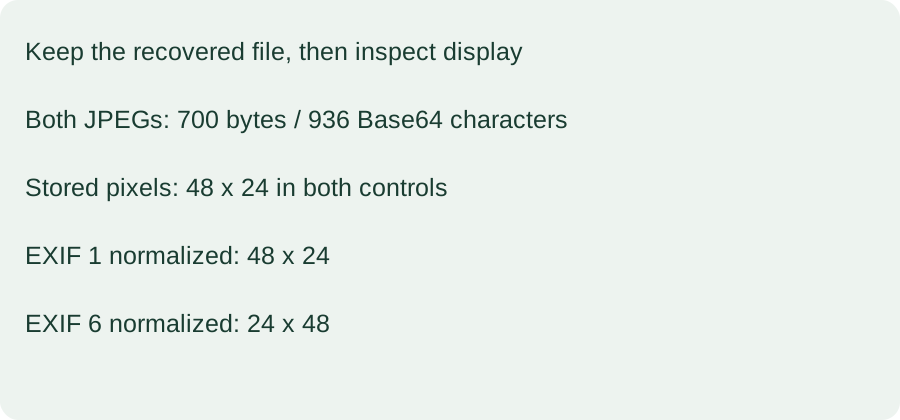
On 2026-10-29, our Python 3.12.14 run decoded orientation-1.jpg and orientation-6.jpg from 936 Base64 characters to exactly 700 bytes each. Each restored file equaled its own archived input byte for byte. The orientation-1 source and restored SHA-256 were 8e0ef4bb590f5c33662812daab33ffdd07b591ab41e39c03ef643d72b40f1c00. The orientation-6 source and restored SHA-256 were 4a4655ab632ef5469a17a9f56715d56c7090313fcbdbe8f23d51fca25cc2dd93. Reading EXIF tag 274 returned 1 and 6 respectively; neither Base64 roundtrip removed or rewrote that tag.
Stored pixels versus orientation-aware dimensions
Pillow 12.3.0 read the stored dimensions as 48 by 24 for both JPEGs. Their decoded, untransposed RGB pixel buffers had the same SHA-256: 53f46bbc25c7eb07b44def6eb723a7cf473b5dffdae8421ef33c7490e6703a3d. Applying ImageOps.exif_transpose left orientation-1 at 48 by 24 with that same pixel hash. It changed orientation-6 to 24 by 48, whose RGB buffer hashed to df9cfa30b7730508c6ed204a1f857f48de5a6735a136fd79b7c4c4bcdfffcad6. These two supplied files therefore share stored pixel content while their orientation-aware layouts differ.
Four corner pixels identify the rearrangement
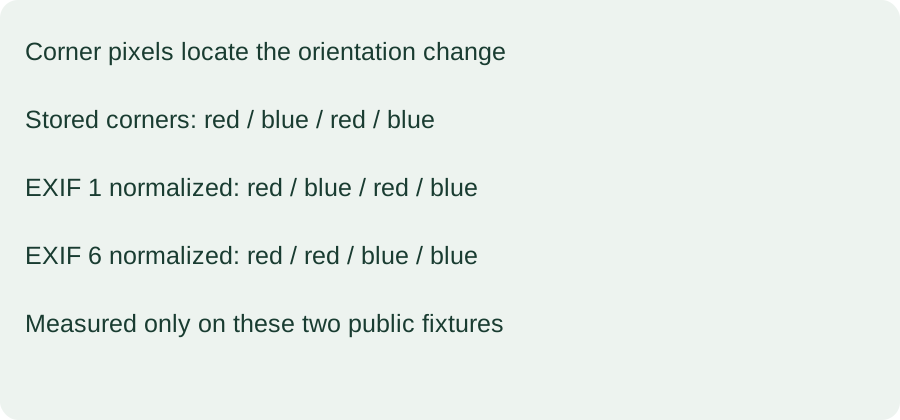
We read four corner pixels in top-left, top-right, bottom-left and bottom-right order. Before transposition, both fixtures returned RGB (209,72,56), (21,112,205), (209,72,56), (21,112,205). After transposition, orientation-1 retained that order. The orientation-6 result was (209,72,56), (209,72,56), (21,112,205), (21,112,205). The corner readings locate the rearrangement in this controlled red-and-blue sample rather than inferring it only from the changed dimensions.
A rotated preview is not proof of corrupted bytes
EXIF-aware display and exact file recovery should be checked separately. Keeping the original download preserves the orientation instruction along with the compressed image. A viewer that honors it can show different geometry from a reader exposing stored pixels. This established metadata behavior is not a new property of Base64 and does not mean that Base64 itself rotated the pixels.
Questions about keeping the original
Why not save a screenshot of the preview? A screenshot captures a rendered view and does not preserve the original image container or its metadata. Do I need to remove EXIF to decode the image? No: removing metadata is a separate editing operation, not a requirement for restoring the file. Keep the original if you need an exact archive copy.
Reproduce the check and read its limits
These generated JPEG controls isolate one orientation tag; they do not prove how every application handles every metadata field. Pixel readings and normalization above come from the named Pillow version, not a universal browser guarantee. The tool accepts standard padded Base64, ignores whitespace and recognizes PNG, JPEG, GIF, WebP and BMP signatures. It limits encoded input to 14,000,000 characters, rejects other signatures and does not sanitize downloaded files. Image display can still fail after successful byte decoding. Run reproduce.py with Pillow installed in an empty directory to recreate the supplied files and inspect raw-output.json.
Compare JPEG metadata preservation during encoding, or inspect a PNG checksum failure after decoding.
Download the reproducible inputs
orientation-1.jpgorientation-1.jpg.b64.txtorientation-6.jpgorientation-6.jpg.b64.txtraw-output.jsonreproduce.py


