Why Does My Base64 PNG Fail a CRC Check?
Successful Base64 decoding does not prove that the recovered PNG has valid chunk checksums. Decode the text strictly, then check the PNG chunks. In our paired sample, both files contain 69 bytes and both Base64 strings contain 92 characters, but changing one CRC byte makes only the IDAT checksum fail.
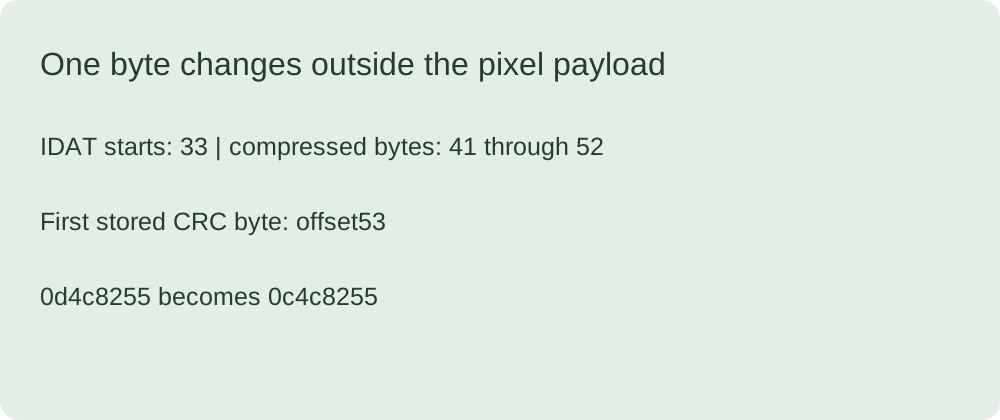
One changed byte, unchanged image payload
We reran the supplied pair on 2026-10-24. Comparing the files byte by byte found exactly one difference at zero-based offset 53. The IDAT chunk begins at offset 33; its eight-byte length-and-type header puts the compressed data at offset 41. The twelve-byte data field ends immediately before offset 53, where the stored CRC begins. The change therefore falls outside the compressed pixel data.
In valid.png the stored IDAT CRC is 0d4c8255. In crc-only-corrupt.png it is 0c4c8255. Independently recomputing CRC-32 over the IDAT type and payload returns 0d4c8255 for both files. The IHDR and IEND checksums still match in both copies. This is a checksum-only negative control, not an example of damaged compressed pixels.
Decompressing the unchanged twelve-byte IDAT payload gives the four scanline bytes 00 14 6e dc. The first byte is the scanline filter byte; the remaining bytes describe the supplied RGB pixel. This comparison isolates the checksum field: it does not claim that arbitrary images with CRC errors retain recoverable pixels.
Check the two boundaries separately
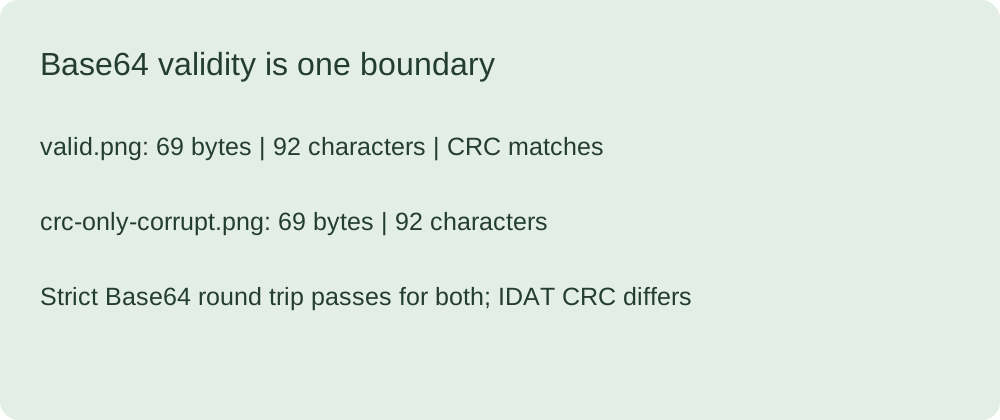
The reproduction script applies strict Base64 decoding and compares the recovered bytes to the input. Both copies pass that round trip. It then walks each PNG chunk, reads the declared data length, and compares its stored checksum against a calculation over the chunk type and data. Only the corrupted copy fails the second check. Adding padding or encoding the same corrupted bytes again cannot change that checksum result.
Both inputs retain the same length, PNG signature and chunk order. A test based only on file size or the first bytes would miss this particular mutation. The script also records separate SHA-256 digests, so readers can distinguish our two downloads before running the checksum test.
What should you fix?
If strict Base64 validation fails, first check the transport text and whether a data URL prefix needs to be separated from its payload. If Base64 passes but a PNG checksum fails, preserve the original file and identify the failing chunk. Prefer a known-good original or a fresh export. Recalculating a checksum may hide evidence of corruption; it does not establish that the pixels are correct.
For the preceding conversion step, use our Base64 to PNG page; preserve its decoded bytes before running this independent checksum test.
Reproduce the comparison
Keep valid.png, crc-only-corrupt.png and reproduce.py in one directory and run the script with Python. It uses only standard-library modules, writes measurements.json and leaves the two inputs unchanged. Assertions check the single differing offset, identical compressed payload and expected failing chunk. A failed assertion is a failed reproduction, not a result to discard.
Limits
This is a tiny synthetic RGB PNG and one deliberate checksum mutation. It is not a browser compatibility survey, a repair service or a guarantee that an image decoder will display a damaged file. Decoder behavior is separate from the byte-level checks shown here. Never treat a successful preview as proof that every stored checksum is correct.