Image to Text
Image to text extracts printed English from PNG, JPEG or WebP images in your browser, with the original image beside the recognized text for checking.
Ready. One image, printed English, up to 8 MiB.
Original image
Our original image checks
We created these four images, ran each through the installed OCR engine and compared the recognized text line by line with the source text. All four source strings matched after removing the output’s final line break. The JPEG is a synthetic printed-page sample, not a photograph of a real invoice. These controlled samples do not establish an accuracy rate for other images. OCR is lossy; recognized text cannot reconstruct the original image.
| Original sample | Pixels | File bytes | Source text | Actual OCR output |
|---|---|---|---|---|
| 1: ocr-sample-1.png | 900 × 220 | 14459 | IMAGE TO TEXT Local OCR sample 42 | IMAGE TO TEXT Local OCR sample 42 |
| 2: ocr-sample-2.jpg | 900 × 220 | 12132 | PRINTED PHOTO Invoice 1250 | PRINTED PHOTO Invoice 1250 |
| 3: ocr-sample-3.webp | 900 × 220 | 5190 | WEBP SAMPLE Copy this line. | WEBP SAMPLE Copy this line. |
| 4: ocr-sample-4.png | 900 × 220 | 13886 | Case and punctuation Code: A7-29. | Case and punctuation Code: A7-29. |


IMAGE TO TEXT
Local OCR sample 42

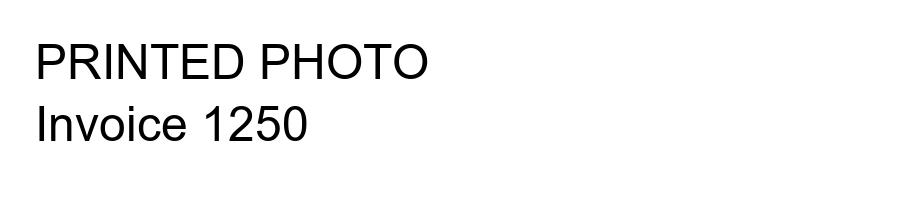
PRINTED PHOTO
Invoice 1250

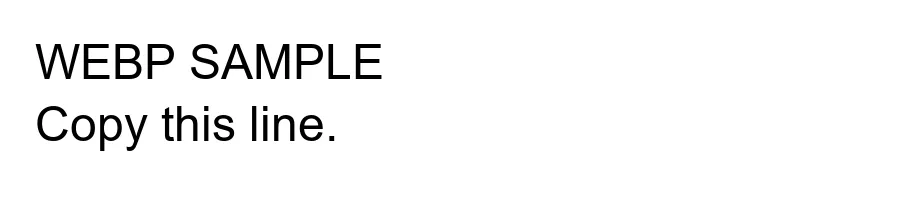
WEBP SAMPLE
Copy this line.

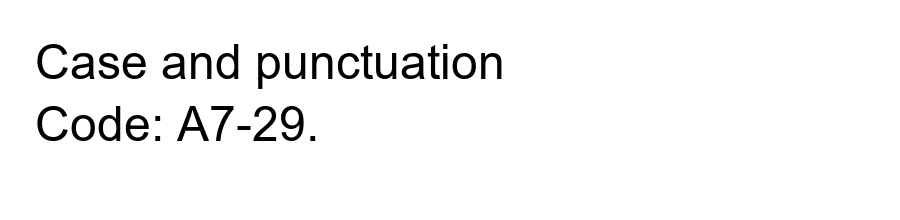
Case and punctuation
Code: A7-29.
Dimensions and file bytes were read from our generated files. Recognized strings came from actual OCR runs using Tesseract.js 7 and the English model. No recognition accuracy percentage is assigned. To reproduce, save a displayed original image, upload it above, extract the text and compare each line. Different image quality can produce different results.
Supported images and limits
This image to text converter accepts one PNG, JPEG or WebP image per run. Screenshots and photos of printed English can be submitted. Maximum file size is 8 MiB; maximum decoded image size is 8 million pixels and 4,000 pixels on either side. PDF and other document formats are not accepted. There is no batch mode, daily quota, login, registration or saved conversion history.
The selected model is English only. Handwriting is not supported. Complex layouts, multi-column pages, tables, rotated text and low-contrast photos are not supported as structured documents; the output is plain text, without reliable layout reconstruction. Keep text upright and legible, then check the result against the image. No guarantee of exact recognition is made.
How to copy text from image
Choose a supported image, press Extract text, wait for recognition, then review the output beside the original. Copy text copies the recognized result. Empty recognition reports no text found instead of inserting example text.
Does pic to text send my picture to an API?
No. Recognition runs in a browser worker. Engine files and the English model are downloaded from this site; your selected image is not uploaded to an OCR service. Initial loading requires a network connection and can take longer on slower devices. Browser memory and device speed still limit processing.
Is picture to text the same as character art?
No. This page reads printed letters into text. ASCII Art Generator represents image brightness with characters and does not read words. Base64 to Image restores encoded image files; Image to Base64 encodes their bytes. Neither performs OCR.
Related image representation walkthrough
This existing video covers character art, not OCR recognition. Loading the player connects to YouTube and shares connection information such as your IP address and playback requests.