Why Does My Decoded CSV Have an Extra Character in the First Header?
Decode Base64 to bytes, then decode an agreed UTF-8 CSV with utf-8-sig before passing its text to csv.DictReader. Inspect the first key with repr before renaming columns. A leading UTF-8 signature can become an invisible character in the first header under plain utf-8. Do not remove every occurrence of that character from the entire file.
Two files, one byte-level difference
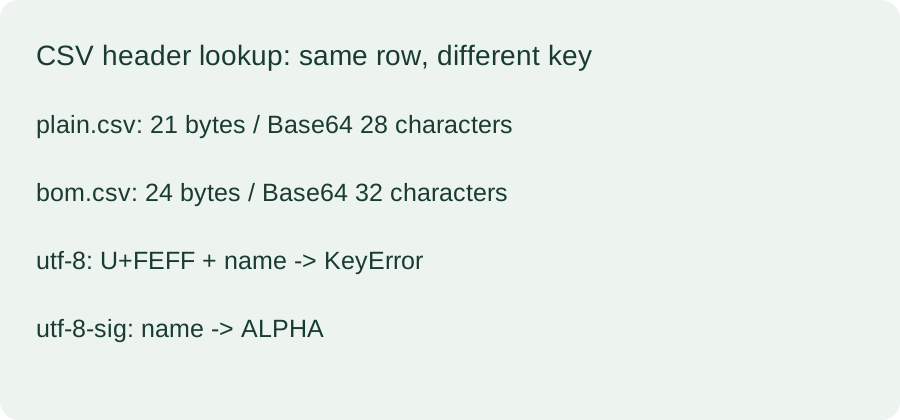
In our 2026-10-26 Python 3.12.14 run, plain.csv was 21 bytes and its Base64 text was 28 characters. Adding the three bytes EF BB BF made bom.csv 24 bytes and its Base64 text 32 characters. Strict Base64 decoding recovered both input files byte for byte. The plain file started with 6E 61 6D, while the signed file started with EF BB BF 6E 61 6D.
The exact key changes the lookup
For plain.csv, both utf-8 and utf-8-sig produced the two header keys name and count. For bom.csv decoded with utf-8, the first key contained U+FEFF followed by U+006E, U+0061, U+006D and U+0065. Looking up name in its first data row raised KeyError. Decoding that same signed file with utf-8-sig returned name and count, and the name lookup returned ALPHA. Both controls retained the count value 1.
A byte roundtrip and a correct column lookup answer different questions. Base64 restoration does not select the CSV character encoding or normalize dictionary keys. A visible header can look correct while its exact key contains another code point. Choose the text codec from the data contract rather than guessing from a successful Base64 decode.
A signature inside a row is a different case
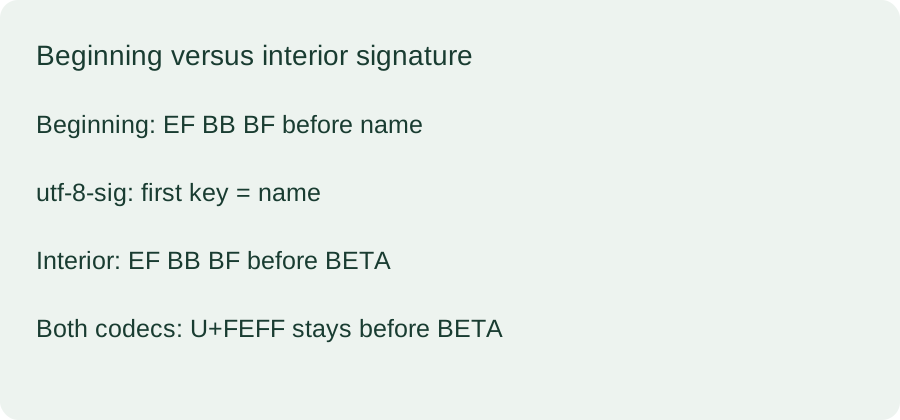
Our third control, interior.csv, was 32 bytes and encoded to 44 Base64 characters. It placed EF BB BF before BETA in a later data row rather than before the header. Both tested codecs kept the first header as name and preserved U+FEFF at the start of that later row value. In this control, changing to utf-8-sig did not remove the interior character. The generated JSON records both full parsed rows for each codec.
Reproduce the check
Run the downloaded reproduction script in an empty directory. It generates all three CSV files, their Base64 text and a JSON report. Compare the strict roundtrip result, first-key code points and name lookup separately. For a real file, write the restored bytes to disk without first converting them through an arbitrary text encoding.
What this test does not establish
These fixtures contain comma-separated ASCII fields, CRLF line endings and an optional UTF-8 signature. The test does not detect unknown encodings, repair damaged CSV, test Excel import behavior or establish what every consumer does with U+FEFF. It tests the named Python codecs and csv.DictReader on these generated inputs only.
For the separate case of preserving a partial text character across chunks, see our streaming Base64 and UTF-8 boundary check.
Download the reproducible inputs
plain.csvbom.csvinterior.csvplain.csv.b64.txtbom.csv.b64.txtinterior.csv.b64.txtreproduce.pyraw-output.json